Project

Umzila

  • 3servers
  • 30Kusers
  • ≈500events/sec · peak
Selected work

Umzila

Last-mile logistics · SaaS

The entire delivery workflow. In one system.

Umzila connects online stores, the office and couriers: it receives orders from a CMS, plans routes, tracks deliveries and helps reconcile goods and payments.

Scale and technology

3
platform servers
30K
platform users
≈500
events/sec at peak
Core technologiesRealtime
GoReactReact NativePHPPostgreSQLRedisBullMQWebSocketNginxDockerPythonPyTorch

Hybrid route optimization

Our own neural network and mathematical model work alongside classical algorithms to calculate routes and eliminate inefficient alternatives. No external APIs.

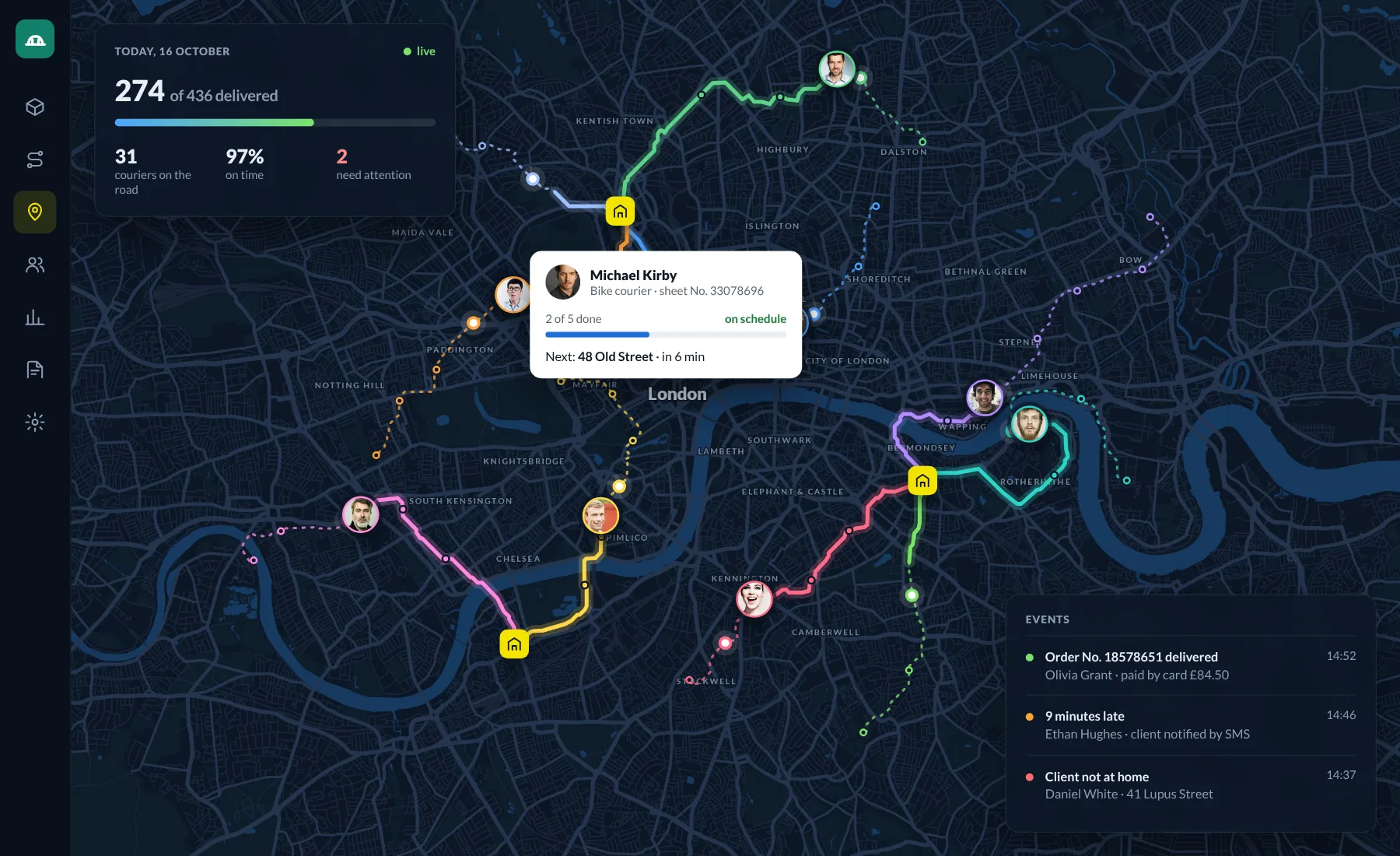
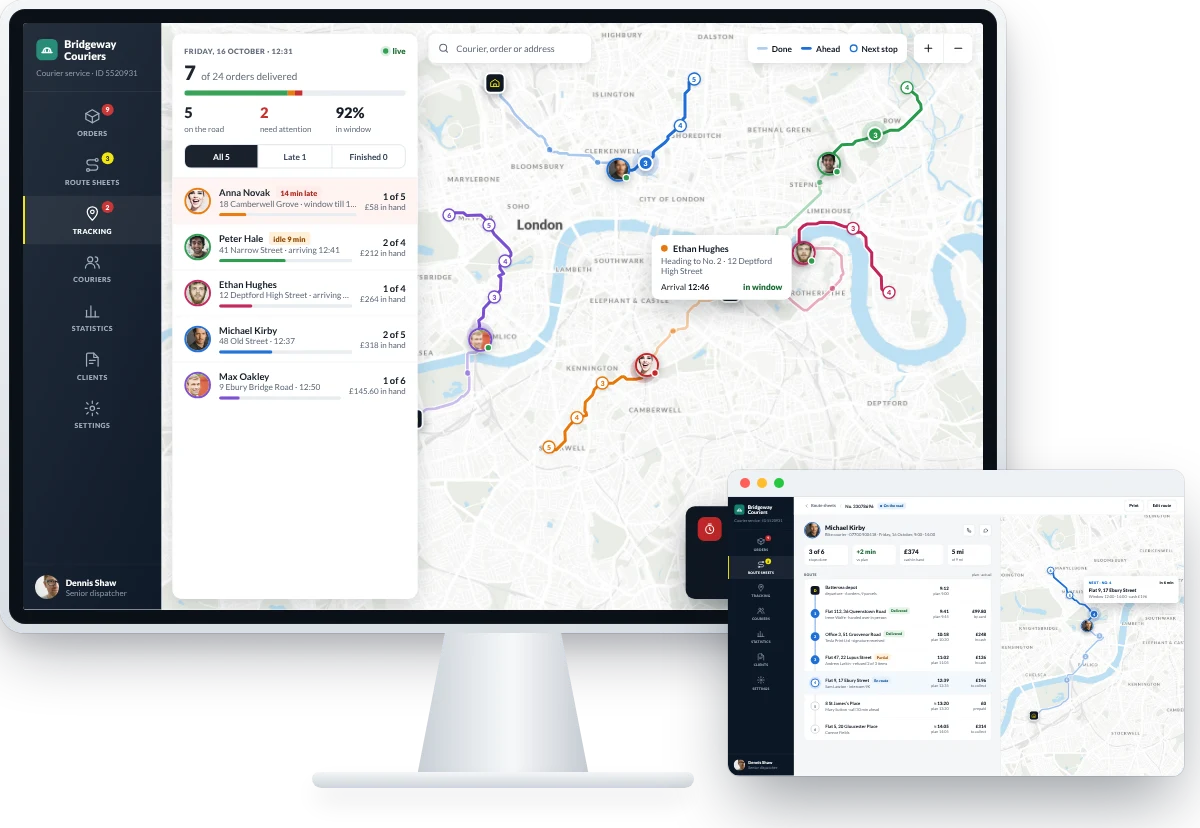
Map of London with every courier on the road, their routes and today’s events

Manager

  • New orders from the CMS and accounting system go straight into processing, showing how long each has waited and the next step
  • A readiness checklist: address, delivery window, contents and client confirmation, with a call or SMS right from the card
  • Incomplete addresses are completed with suggestions, the point shows on the map, and the window is picked from free slots in runs
  • Orders can be created and edited by hand, and several at once approved, postponed or rescheduled in one action
  • After the route, money and returns are reconciled: what was sold, what the client refused and why
Logistician

  • Automatic distribution by zone, taking client windows, weight, vehicle and traffic into account — no external APIs
  • A forecast before launch: how many route sheets, total mileage and which orders risk missing their window
  • Routes are edited on the map by dragging orders — time and mileage are recalculated instantly
  • Every courier on a live map, with notifications that offer the next step: warn the client or call the courier
  • A courier ranking and a map of problem zones show who needs help and where to shift a delivery window

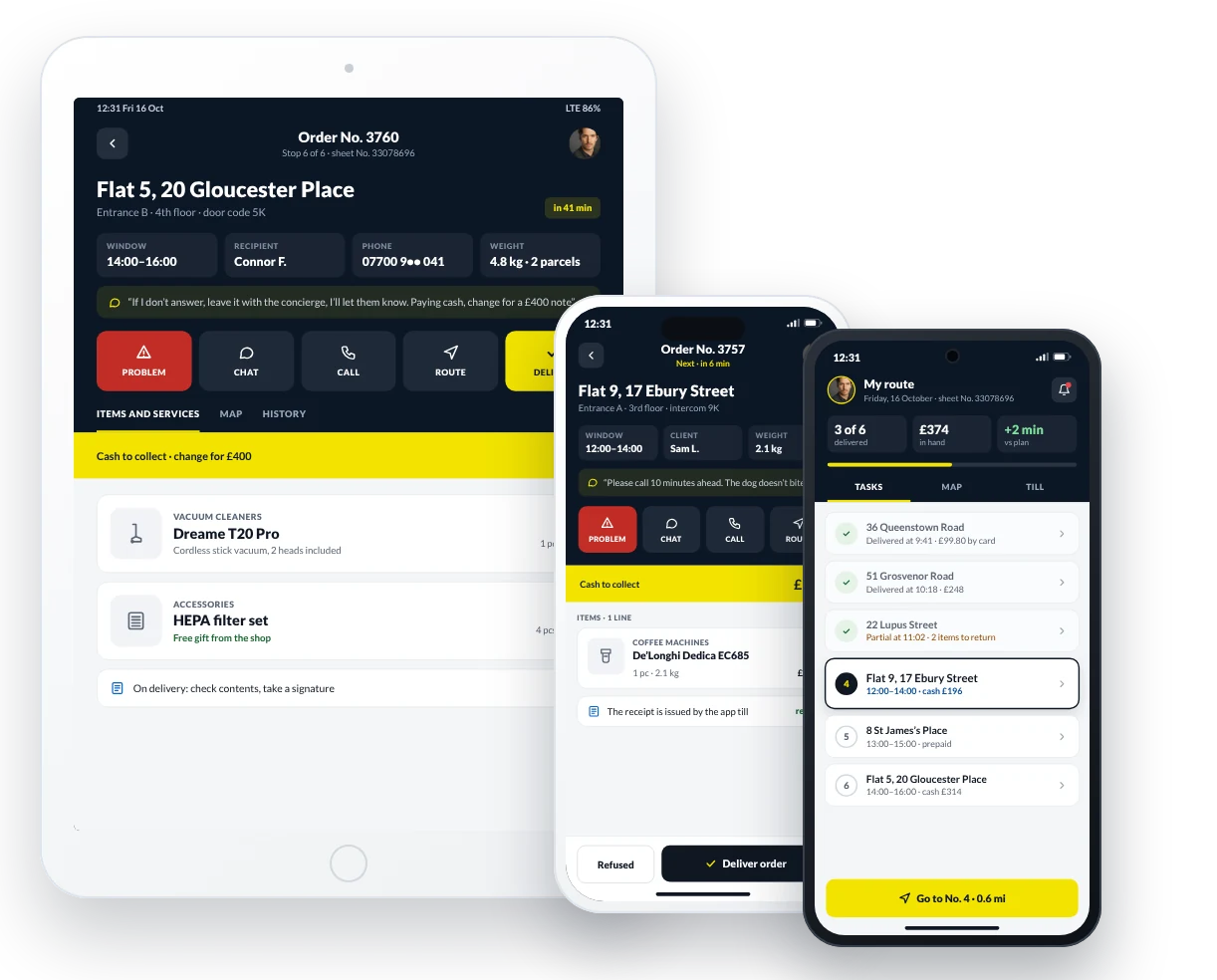
Courier

  • Route sheets and delivery notes in the app, with the order of stops already optimised
  • Every stop shows the entrance and intercom, window, weight, client comment and amount to collect
  • One-tap call and chat with the client and dispatcher, plus a Problem button for anything unusual
  • Cash and card payments, with the receipt and accompanying documents issued on the spot
  • Partial delivery refusals, signatures, and payments are marked in the app and go straight into the report
One connected delivery workflow

What to do with each order

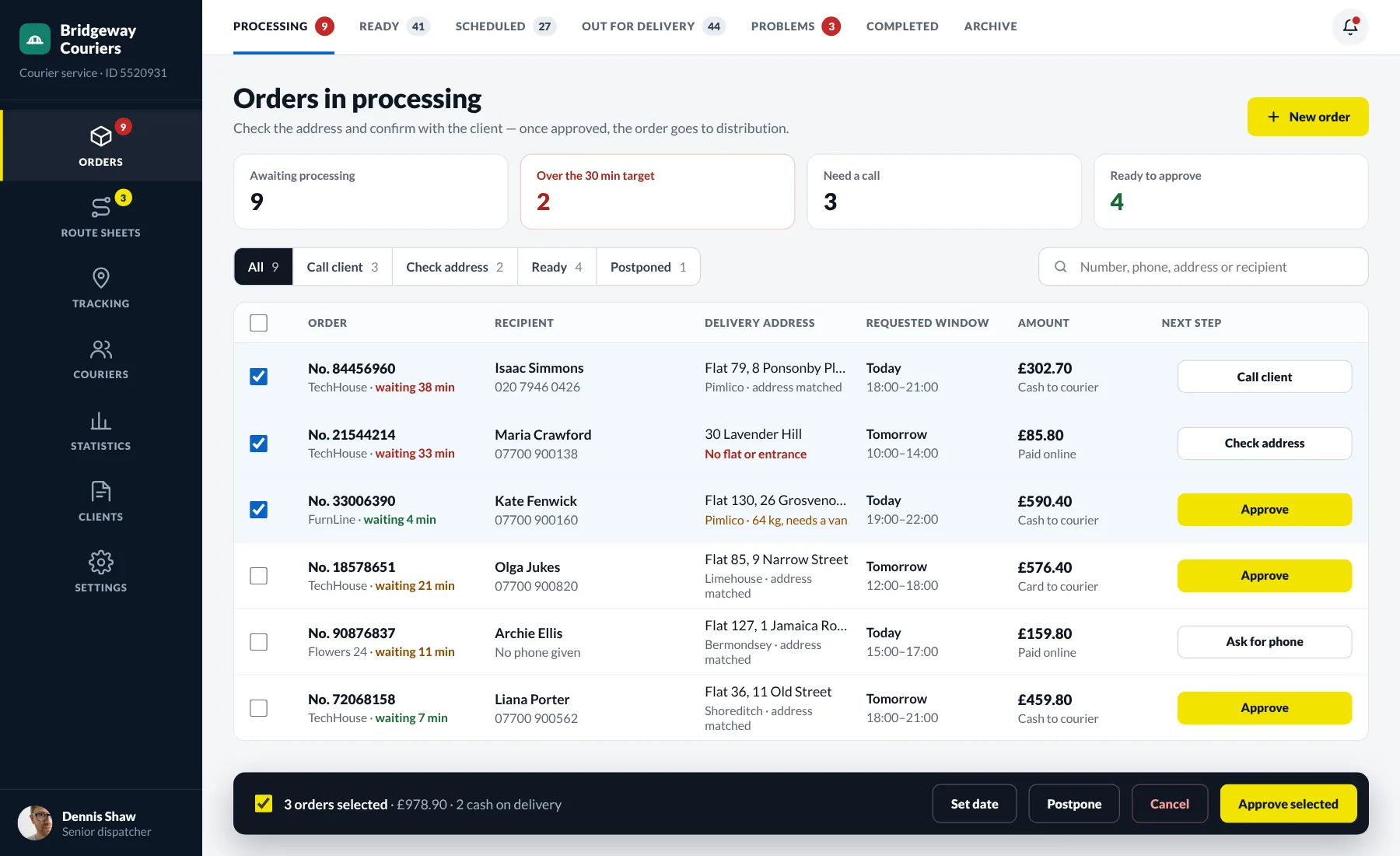
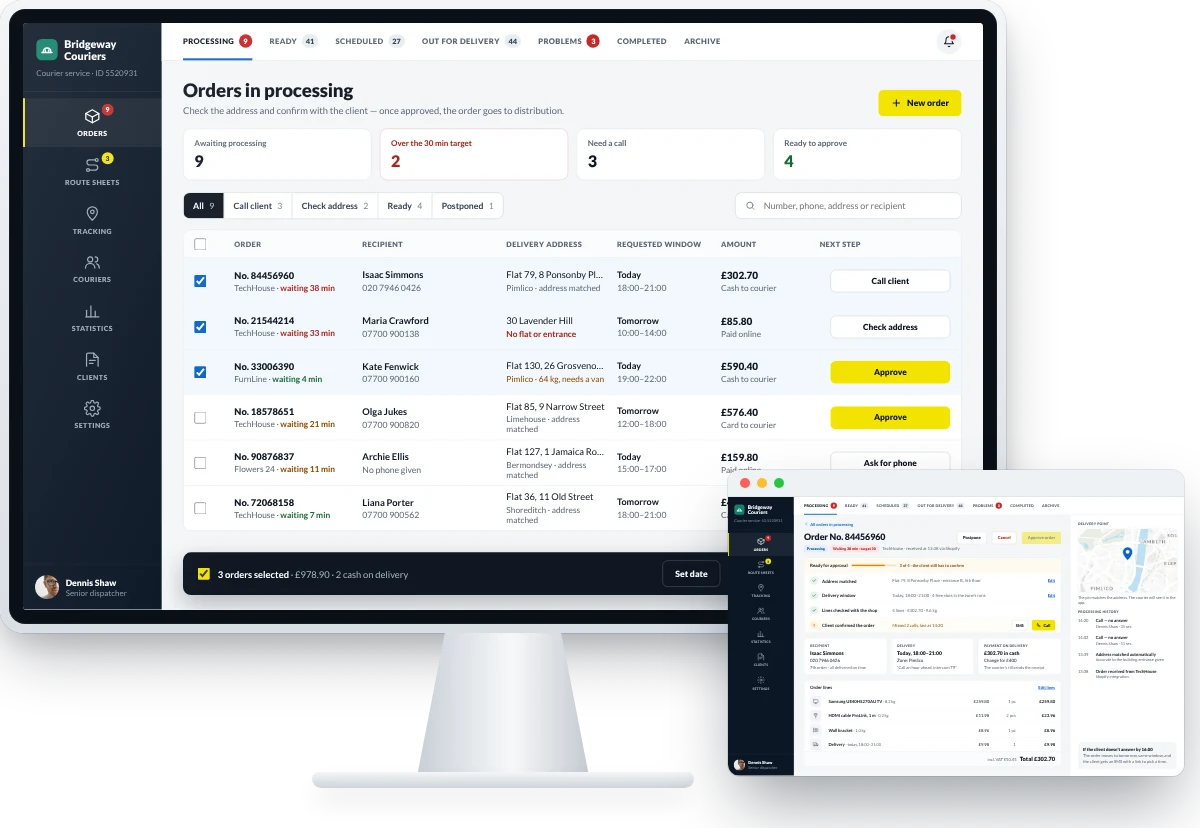
Orders in processing with status, waiting time and the next step for each order

New orders from your store platform and accounting system land in processing at once — each shows how long it has waited and what to do next. Filters such as “Call client”, “Check address” and “Ready” group orders by task, and anything over the target time turns red. Tick several orders to approve, postpone or reschedule them in one go.

One connected delivery workflow

Readiness checklist

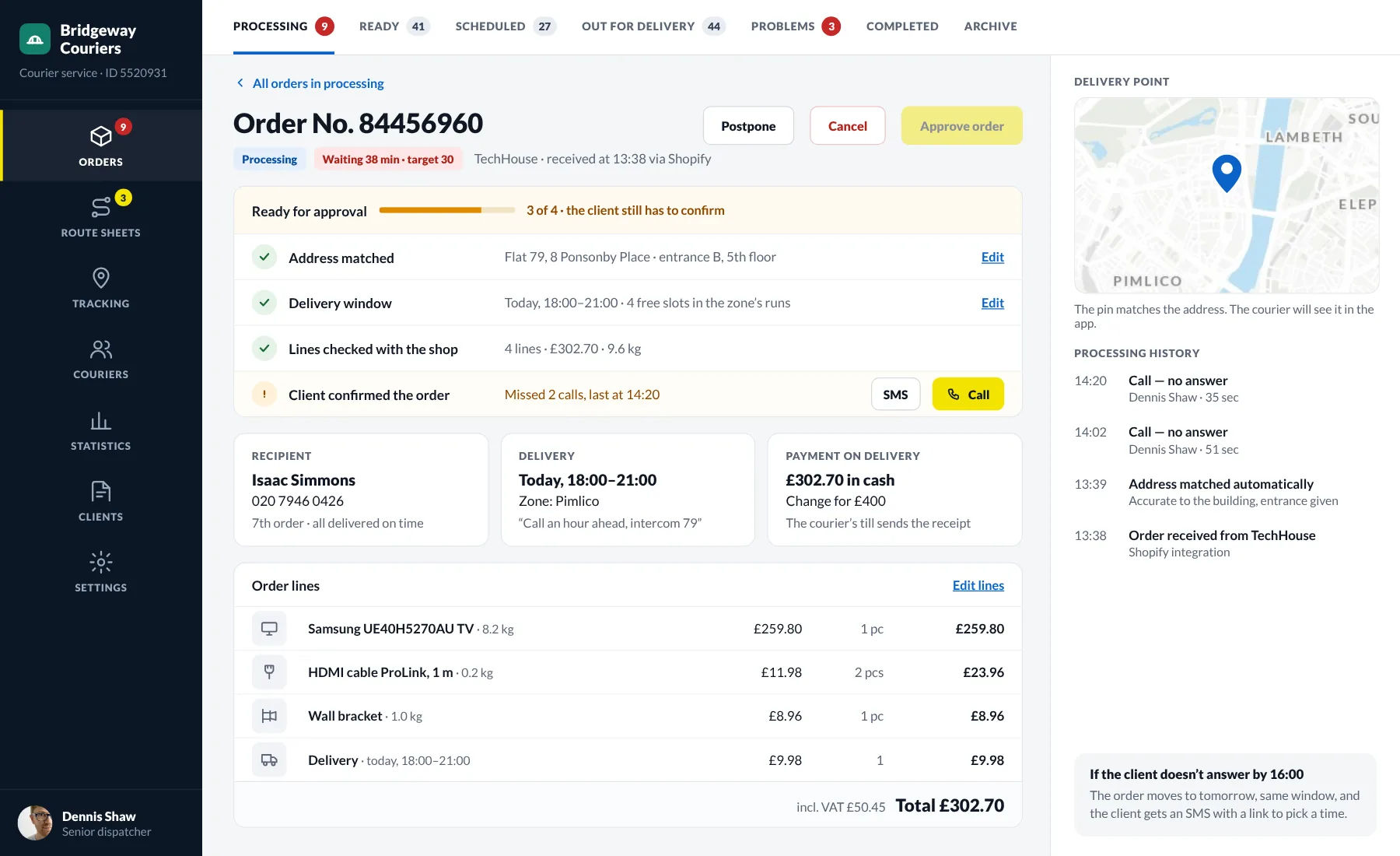
Order card with a readiness checklist, items and call history

The order card shows what is missing before approval: the address, delivery window, item check or the client’s confirmation. The address is matched down to the entrance and pinned on the map. Call the client or send an SMS link straight from the checklist — every call is kept in the history.

One connected delivery workflow

Exact address and window

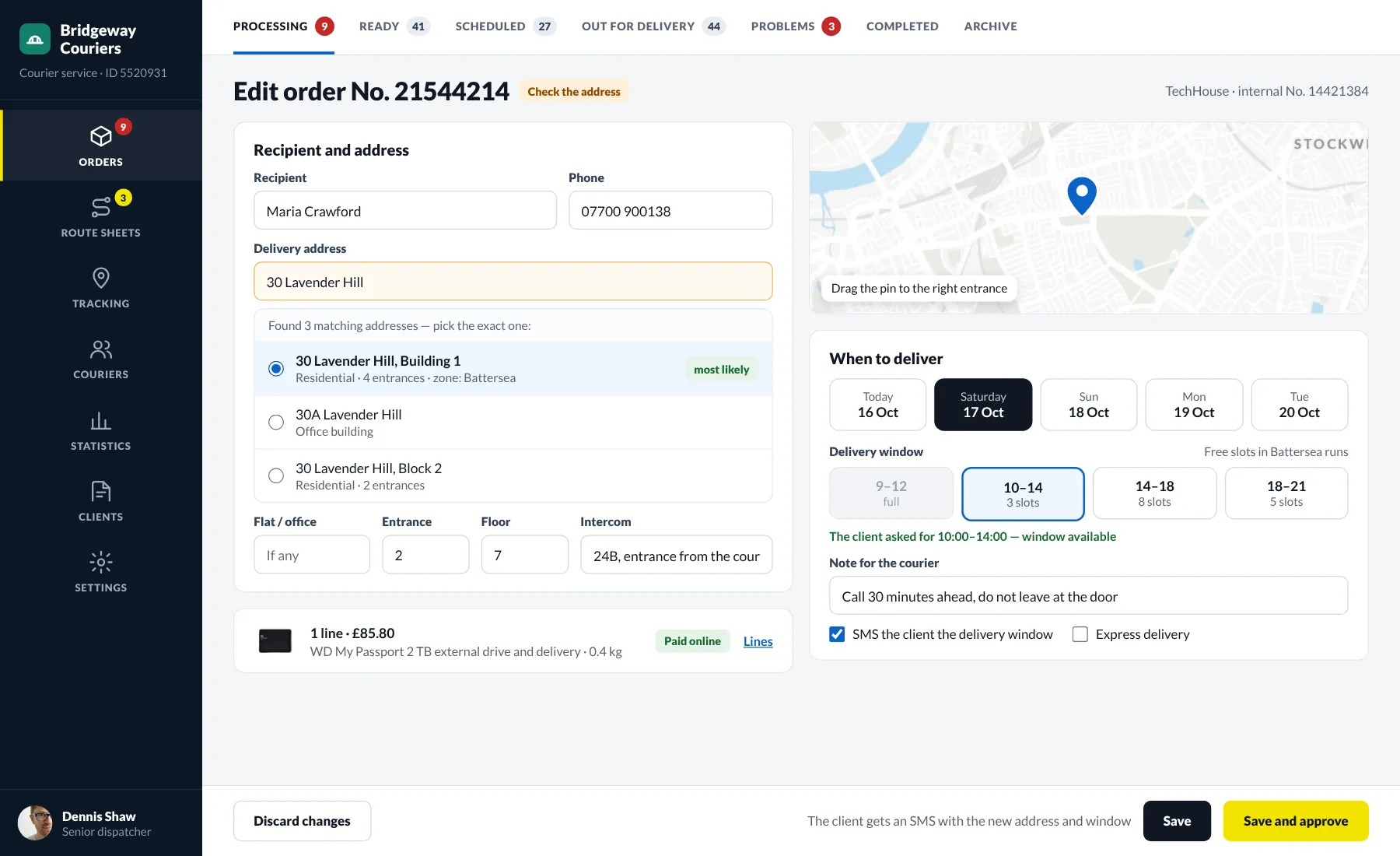
Editing an order: picking the exact address on the map and a delivery window

If an address is incomplete, Umzila suggests matching options and shows the point on the map. Delivery windows show the free slots in the zone’s runs, so you never promise a time the couriers can’t make. After saving, the client gets an SMS with the new address and window.

One connected delivery workflow

Automatic distribution

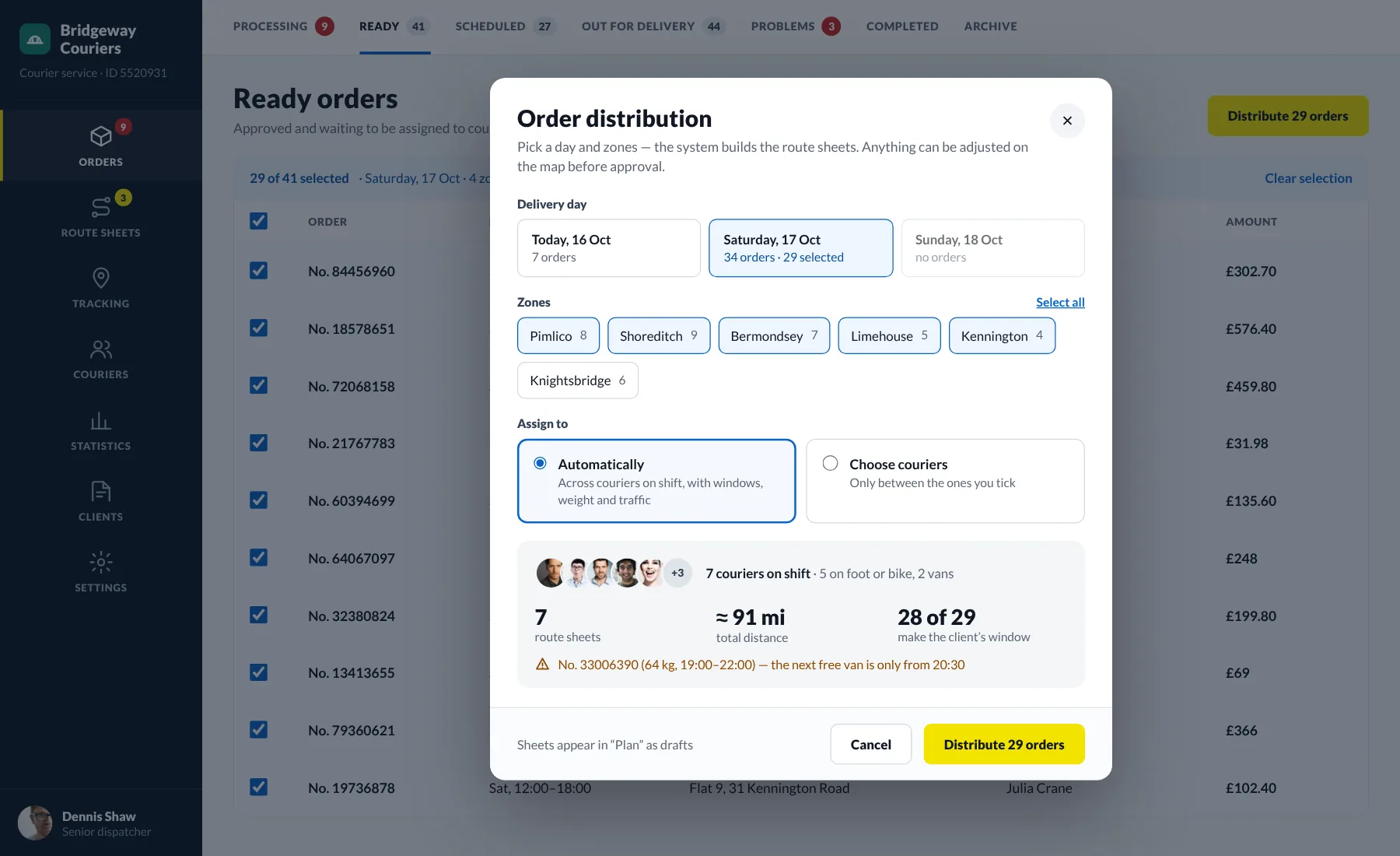
Automatic distribution dialog: day, zones and a route forecast

Pick a day and zones — the system builds route sheets for the couriers on shift. It takes client windows, weight and size, vehicle type and traffic into account. Before you run it you see the forecast: how many sheets, the total distance and which orders risk missing their window.

One connected delivery workflow

Weekly route plan

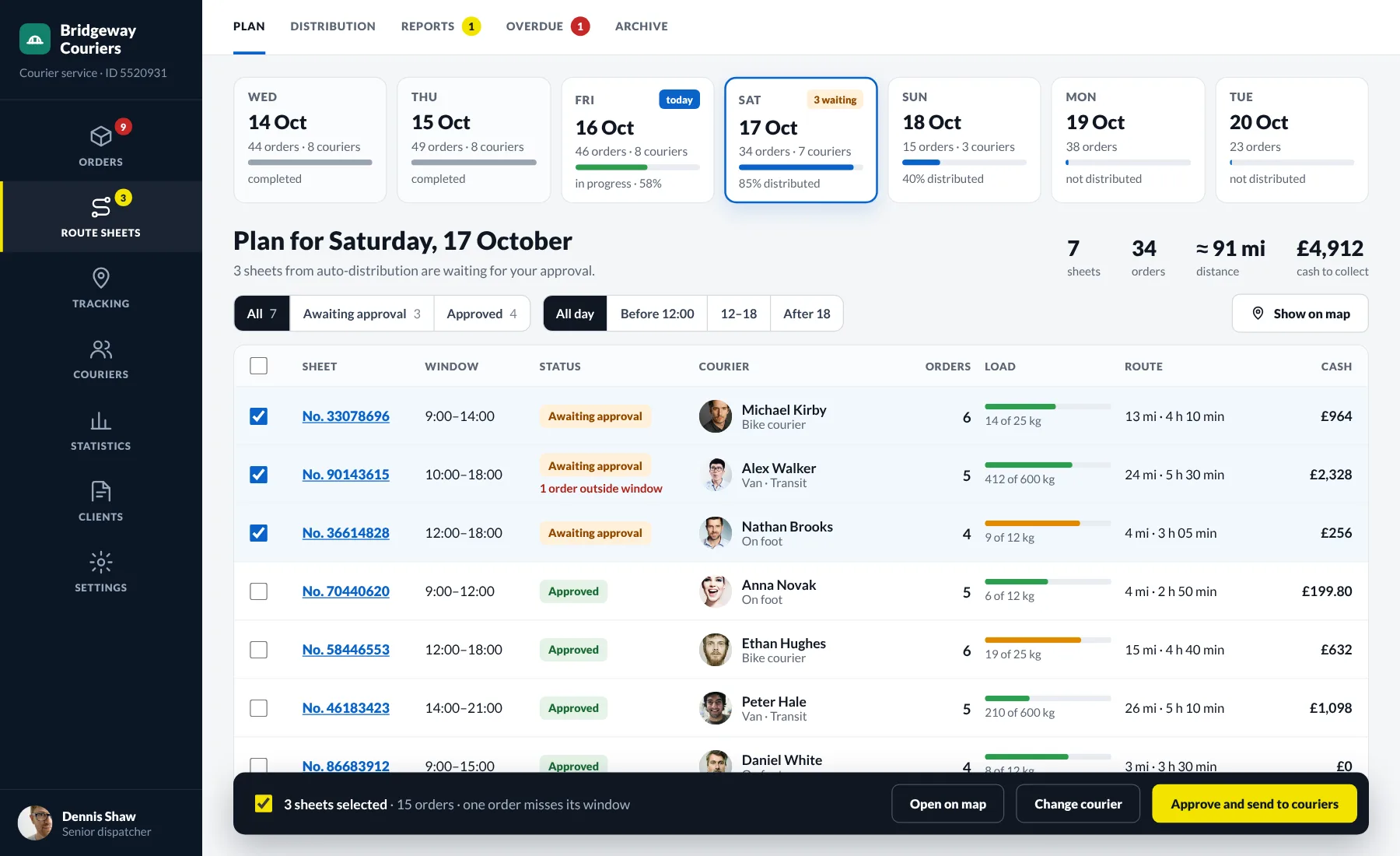
Route sheet plan by day with courier load and cash to collect

The day strip shows which days are distributed, where work is under way and where nothing has started yet. The sheet table lists the courier and vehicle, load by weight, distance, time on the road and cash to collect. Drafts from auto-distribution are approved in a batch and go straight to the courier app.

One connected delivery workflow

Adjust routes on the map

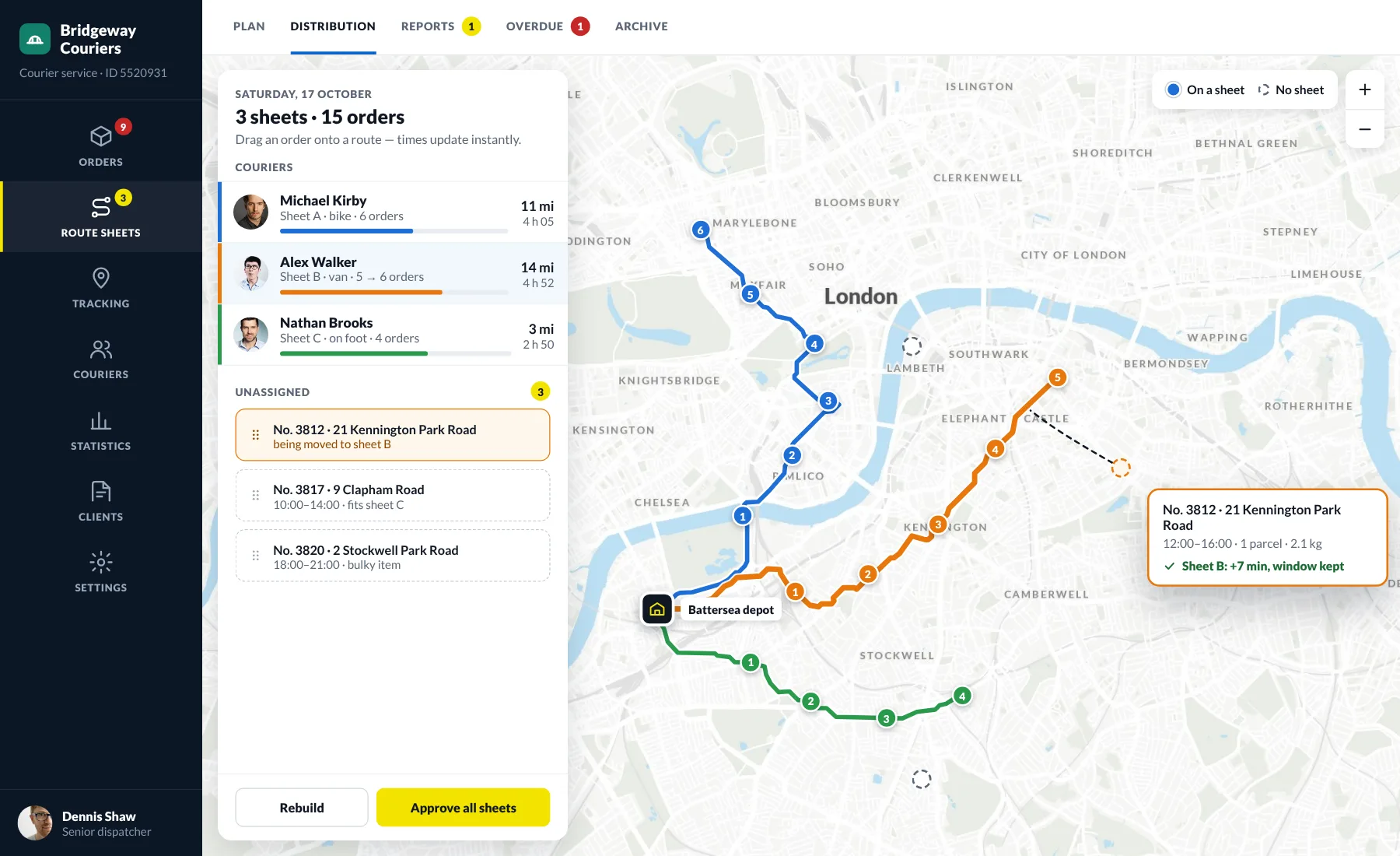
Adjusting routes on the map: an order is dragged onto a courier’s route

Drag any order onto another courier’s route — time and distance are recalculated instantly. Unassigned orders are marked on the map and the system suggests which sheet they fit. Before approval you can see whether the client’s window is still kept.

One connected delivery workflow

Every courier on the map

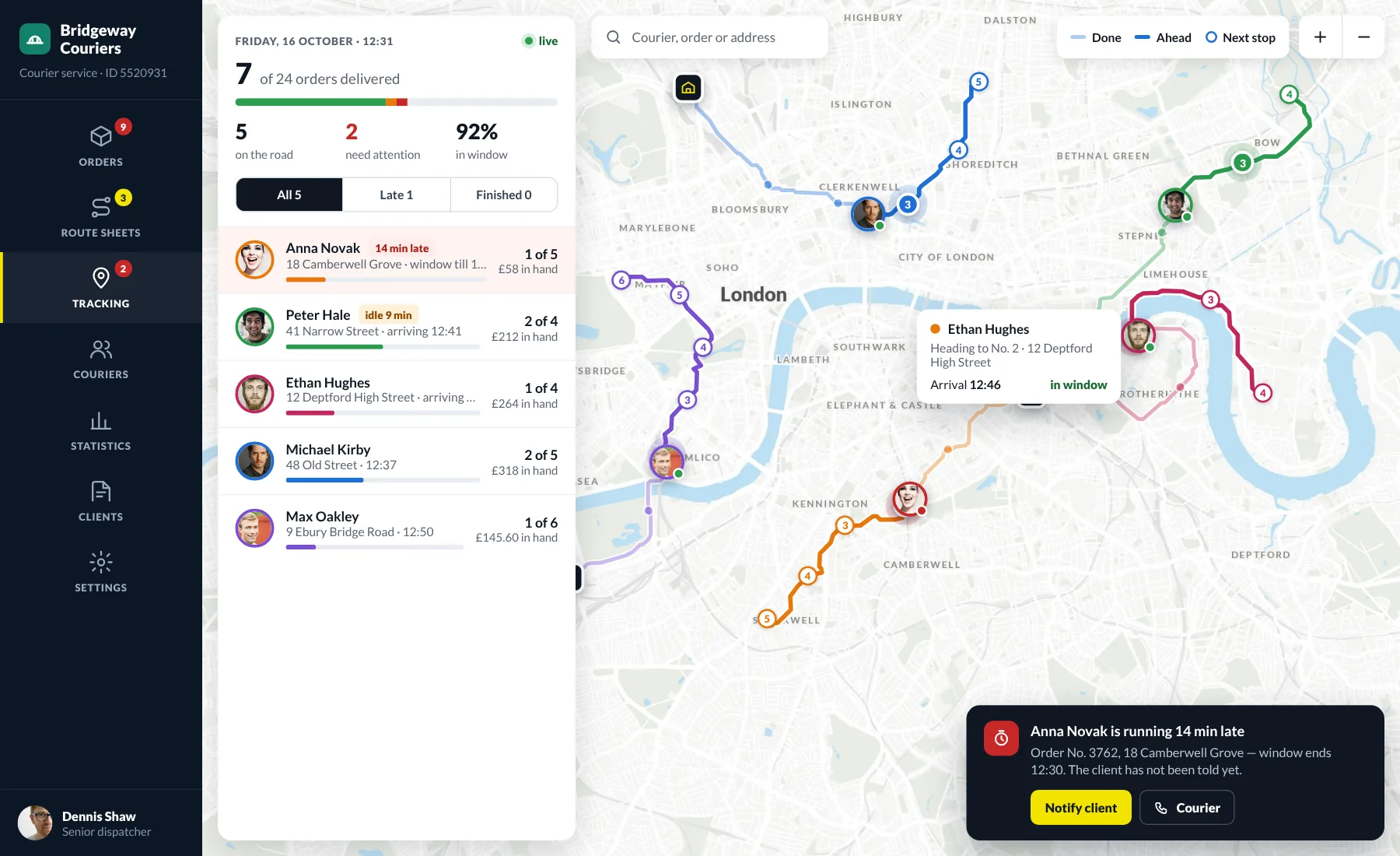
Live tracking map: covered and remaining legs, couriers and late deliveries

The live map shows where each courier is, how much of the route is done and where they are heading next. Late and idle couriers move to the top of the list. Warn the client about a delay or call the courier right from the notification on the map.

One connected delivery workflow

Route sheet: plan vs actual

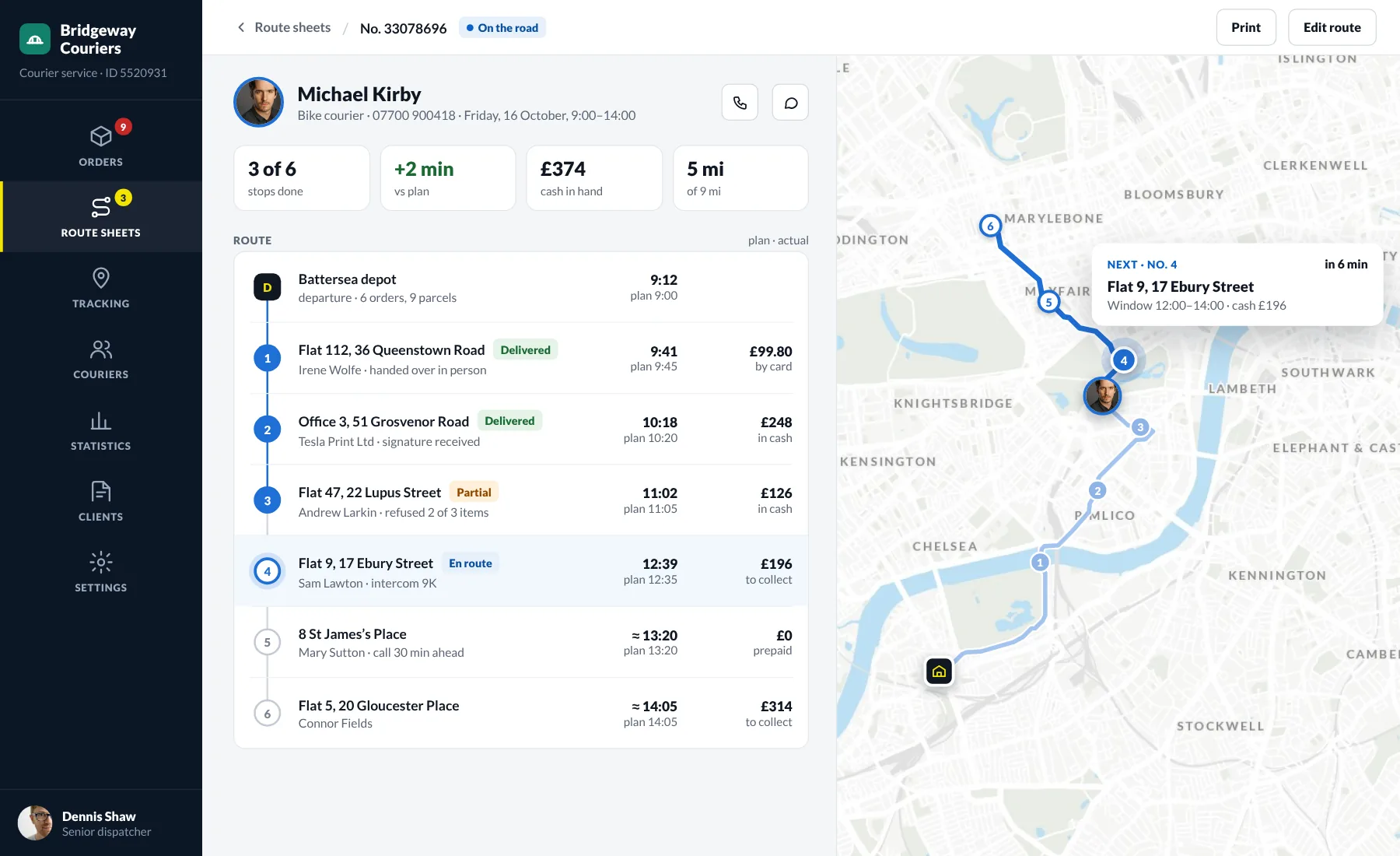
Route sheet on the road: stops with planned and actual times and payments

Every stop shows the planned and actual time, delivery status and payment. Partial delivery refusals, signatures, and payments are recorded by the courier in the app and appear in the sheet at once. The deviation from plan is one number, and the next stop is highlighted on the map.

One connected delivery workflow

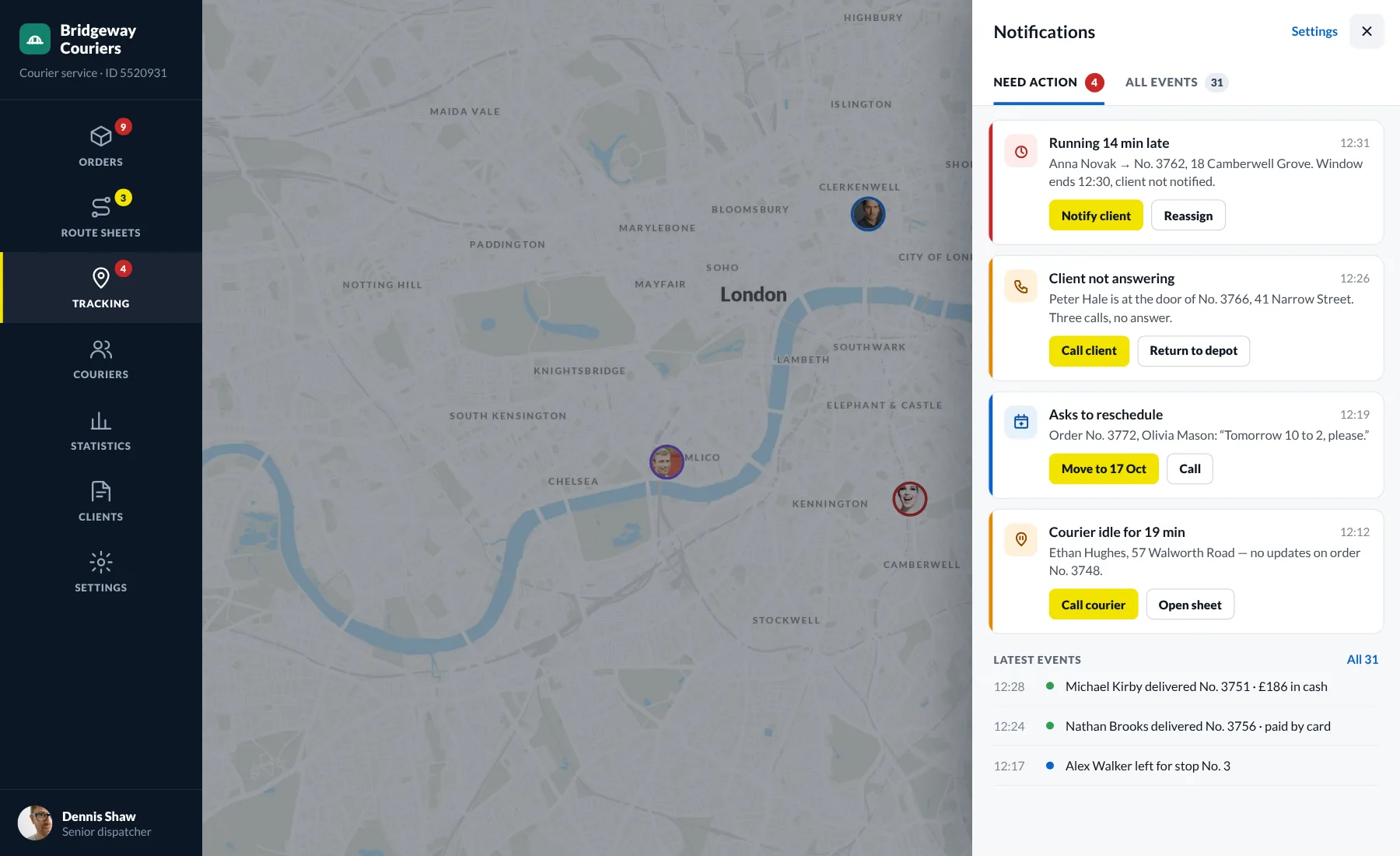
Notifications that need action

Dispatcher notifications: delays and client requests with action buttons

Instead of a feed of events, the dispatcher sees a list of what needs a decision right now. A delay, a client not answering, a request to reschedule, a courier idling too long — each notification comes with the button for the right action. Everything else sits in a separate feed.

One connected delivery workflow

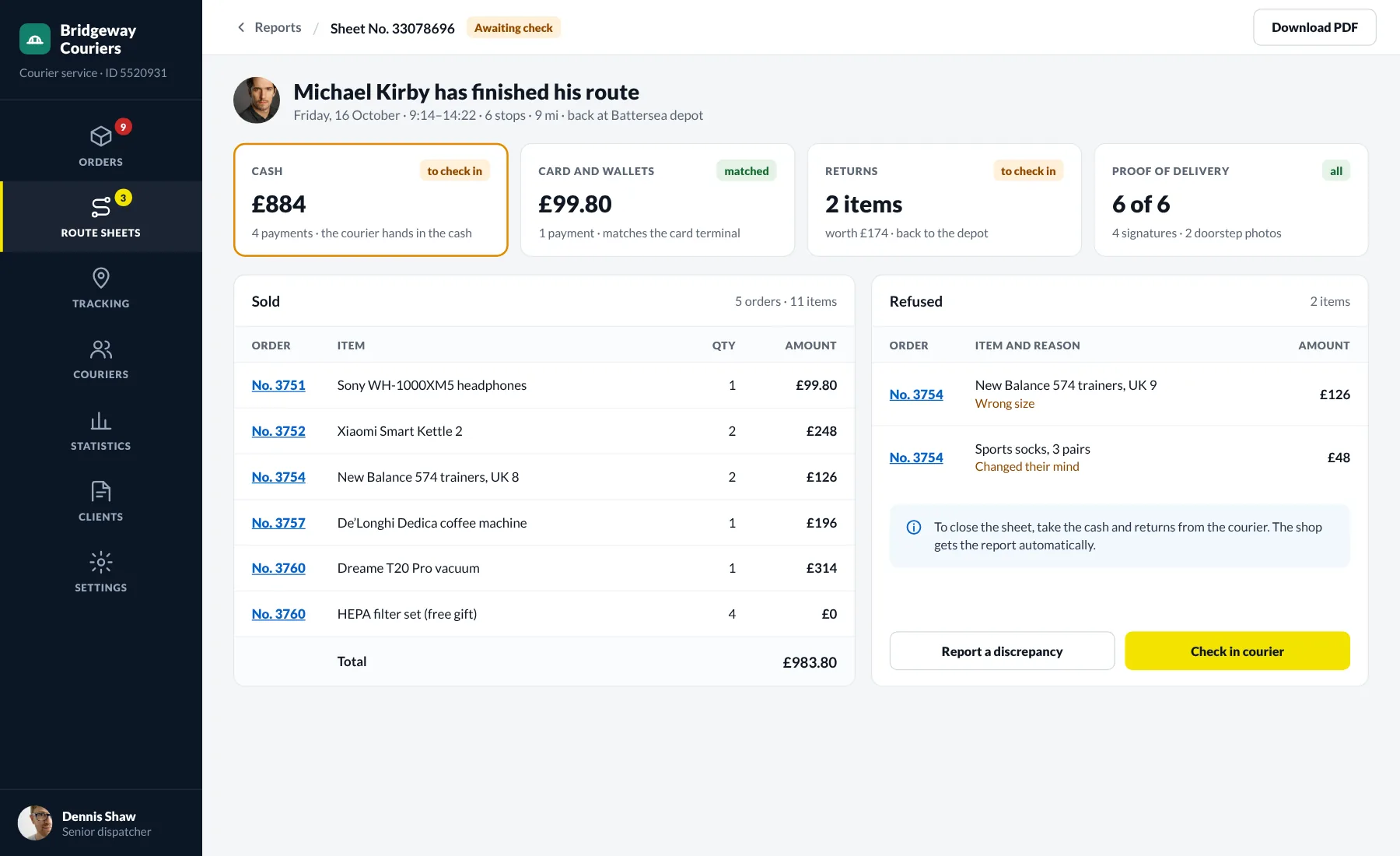
Report and cash check

Courier report: cash, card payments, returns and proof of delivery

When a courier finishes the route, the report builds itself: cash, card payments, returns and proof of delivery. Card payments are matched with the terminal, and every order shows what was sold, what the client refused and why. A discrepancy can be reported straight from the report.

One connected delivery workflow

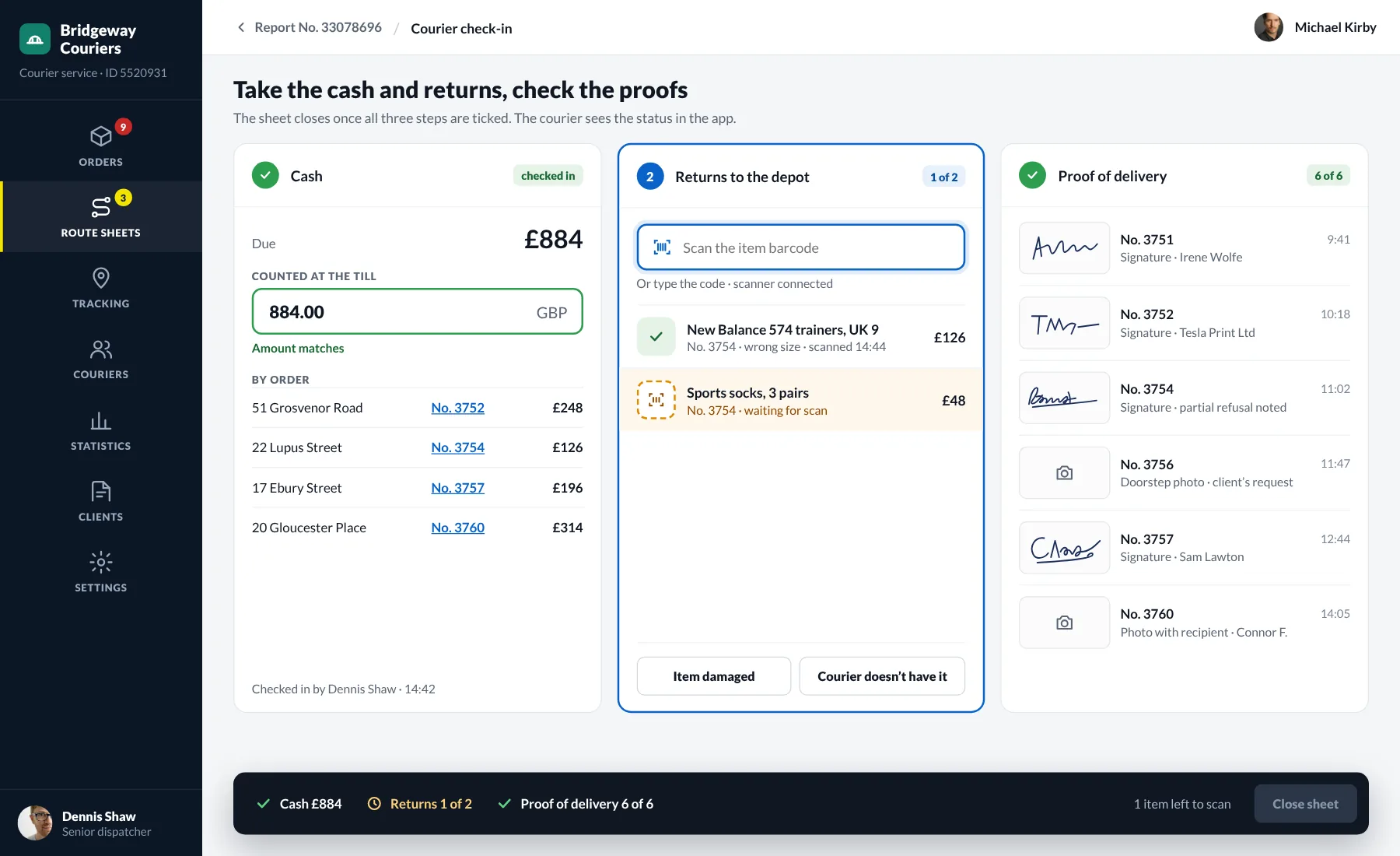
Cash and returns check-in

Courier check-in: counting the cash, scanning returns, checking signatures

Closing a sheet takes three steps: count the cash, scan the returns and check the proof of delivery. The amount due is calculated per order and returns are checked in by barcode. The sheet closes only when everything matches, and the courier sees the check-in status in the app.

One connected delivery workflow

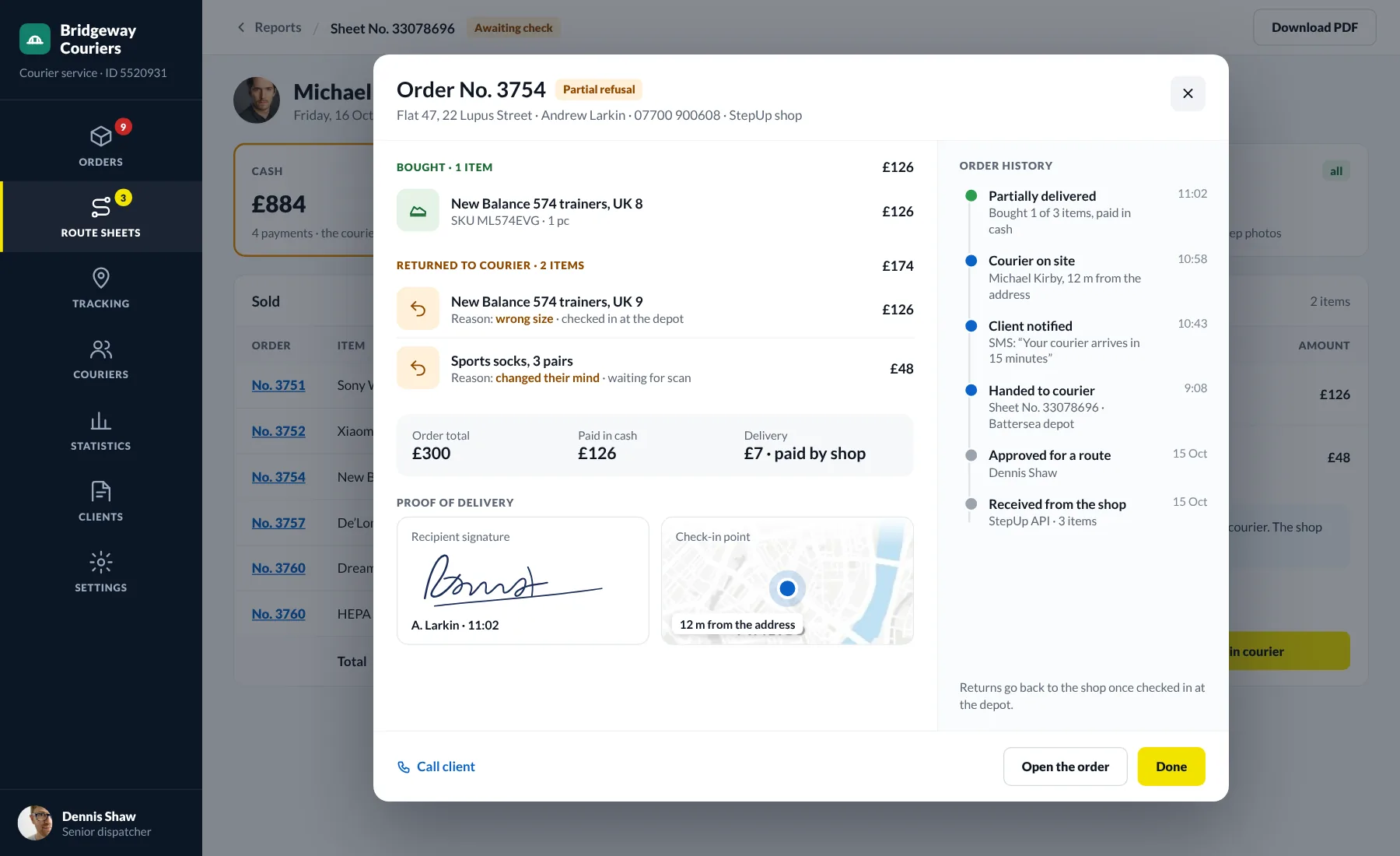
What was bought and returned

Order details: bought and returned items, signature and history

The order card in the report shows the bought and returned items with the reasons for refusal. It also holds the recipient’s signature, the check-in point on the map and the whole order history — from the shop to the doorstep. Returns go back to the shop once checked in at the depot.

One connected delivery workflow

Overview for the period

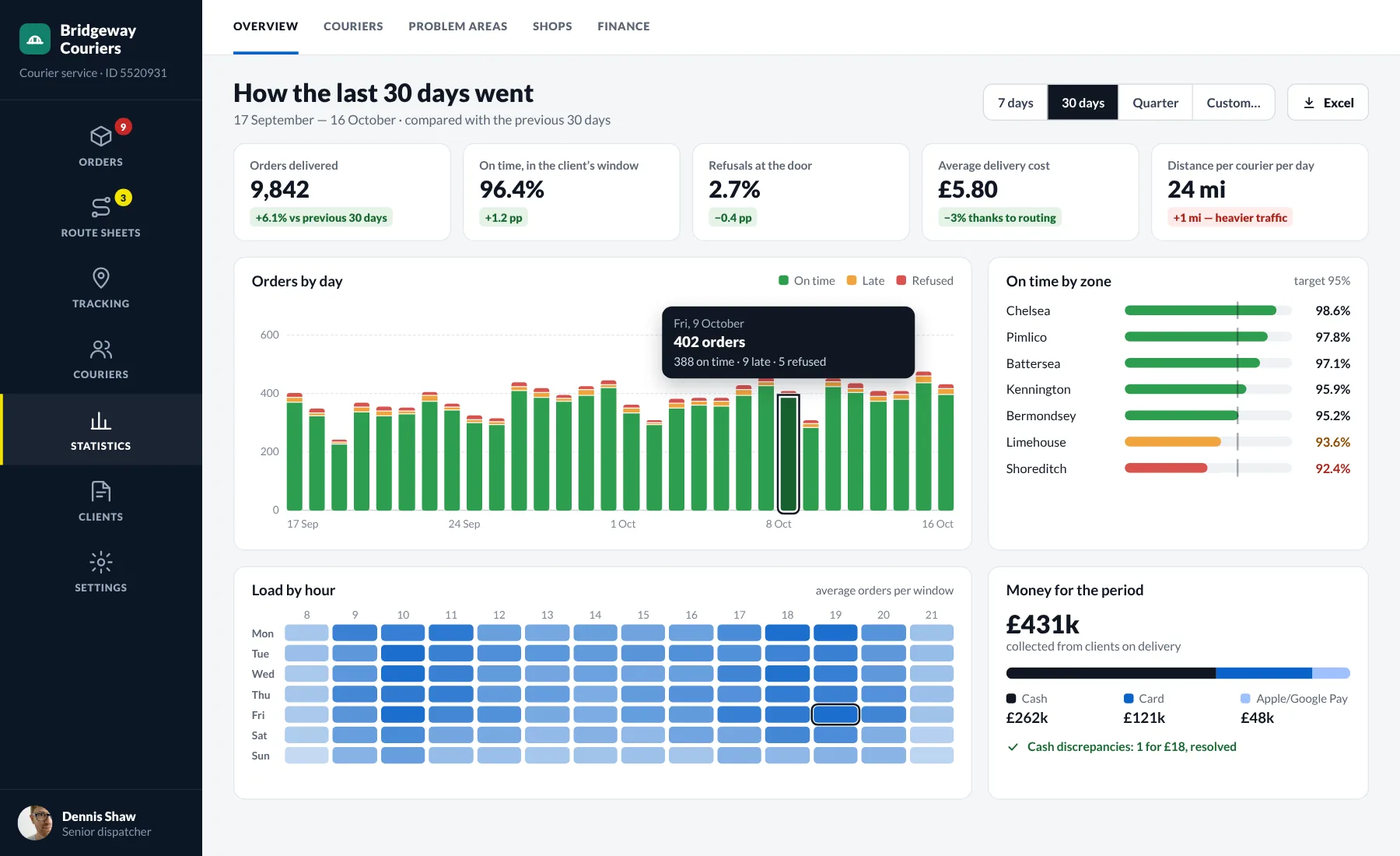
Overview for 30 days: delivered orders, on-time share, refusals, orders by day and load by hour

The key delivery figures for the chosen period, compared with the previous one, so you see at once whether things got better or worse. The daily chart shows how many orders were delivered on time, late or refused. The hourly heatmap tells you when you need more couriers, and the money check shows whether the till balances.

One connected delivery workflow

Courier performance

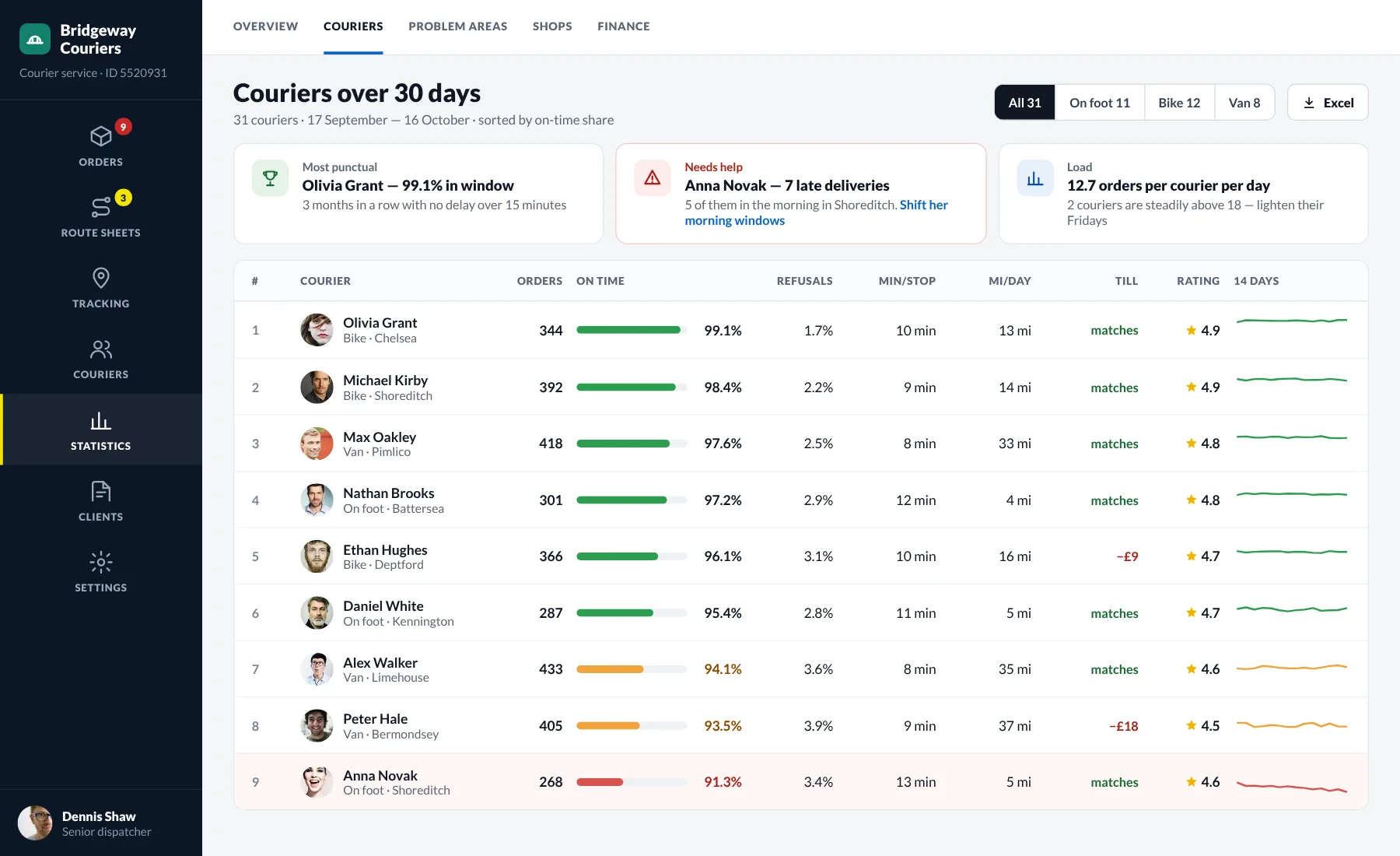
Courier ranking: on-time share, refusals, minutes per stop, distance, till and client rating

A ranking of couriers by on-time share, refusals, speed at the door, distance and client ratings. Umzila points out who deserves praise and who needs help, and shows why — for example, morning delays in one area. The 14-day trend is right in the row.

One connected delivery workflow

Problem areas on the map

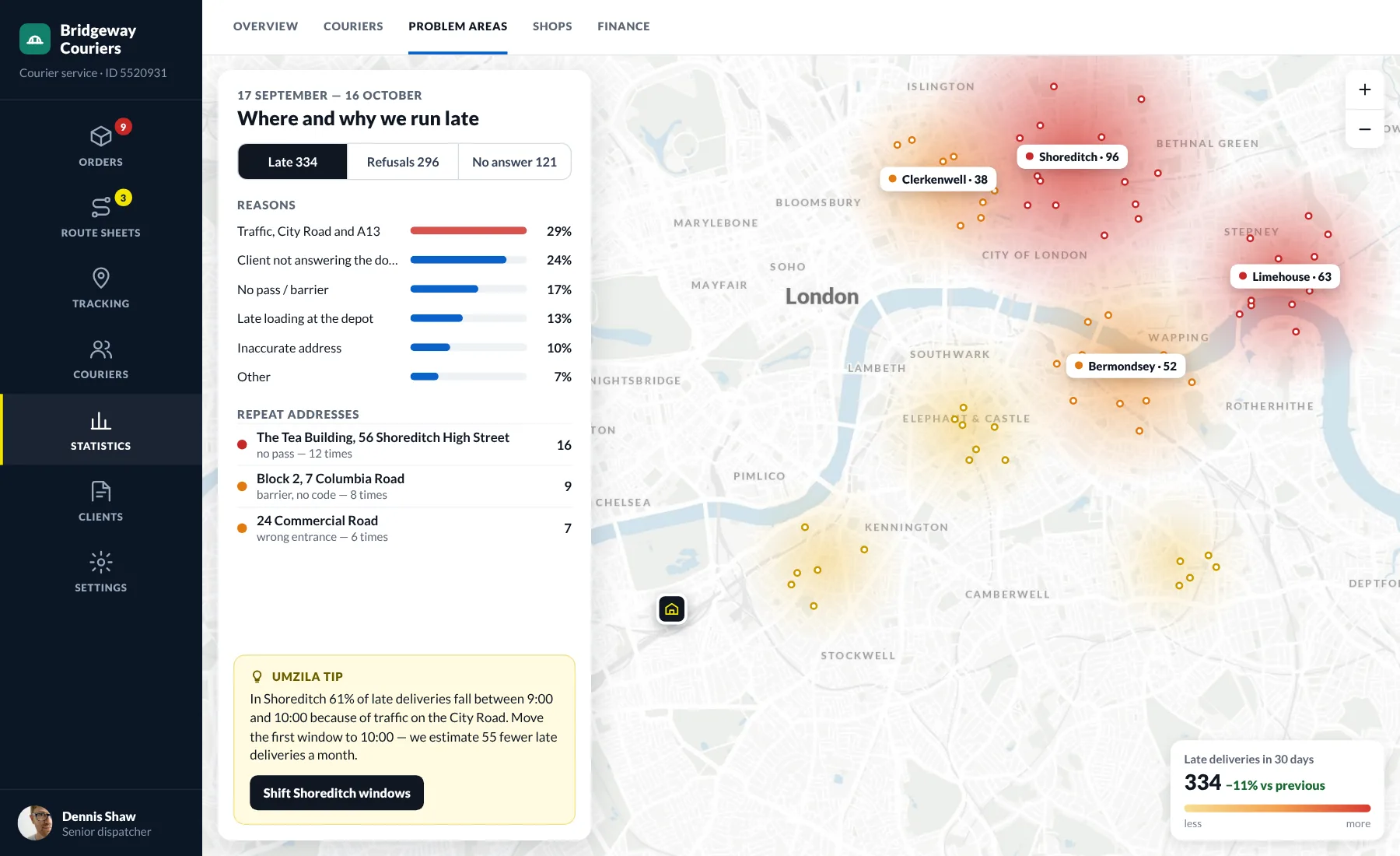
Problem areas on the London map: where deliveries run late and why

A heatmap shows the areas where deliveries most often run late, get refused or go unanswered. Reasons are broken down by share, and addresses with repeat problems are listed separately. Umzila suggests a concrete fix — such as moving a delivery window — and estimates how many delays it will remove.

skin in the game

We don’t just build for clients. We run our own products.

Since 2013 we have launched, sold and operated our own services. That changes how we work on yours.

  1. 01

    Owner’s judgment

    We weigh every feature against cost and payback — and push back on scope that doesn’t serve the goal.

  2. 02

    Production-proven stack

    The architecture we recommend is the one running our own products under real load.

  3. 03

    We stay after launch

    We operate our own services 24/7, so monitoring, releases and incidents are routine, not an upsell.

  4. 04

    Business, not just code

    Pricing, payments, analytics, growth — we have been through it ourselves and speak your language.