Project

Unicraft

  • 30+servers
  • 200Kusers
  • ≈2500requests/sec · peak
Selected work

Unicraft

Corporate learning · LMS

From company knowledge to team skills.

Unicraft is a corporate learning platform. Administrators add employees, build courses and programs, and assign them to groups; employees follow a clear learning path on desktop or mobile. Onboarding, team development and partner training run in one system.

Scale and technology

30+
platform servers
200K
platform users
≈2500
requests/sec at peak
Core technologiesRealtime
Node.jsTypeScriptNestJSExpressReactFlutterPostgreSQLpgvectorRethinkDBRedisBullMQWebSocketHAProxyNginxDockerKubernetes

Agent-powered learning management

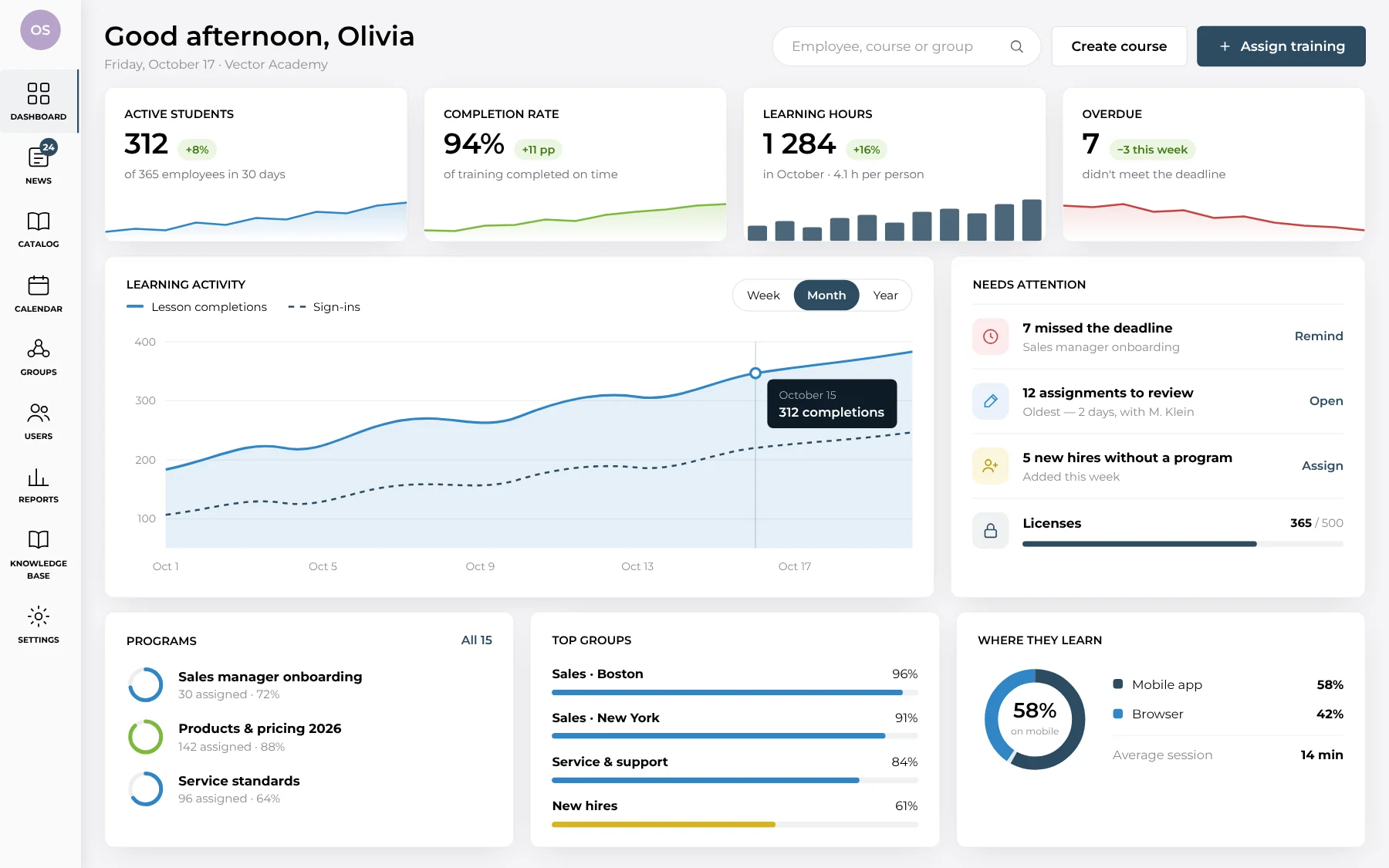
Create courses and lessons, assign training to employees and request reports through chat — the agent carries out actions within the platform.

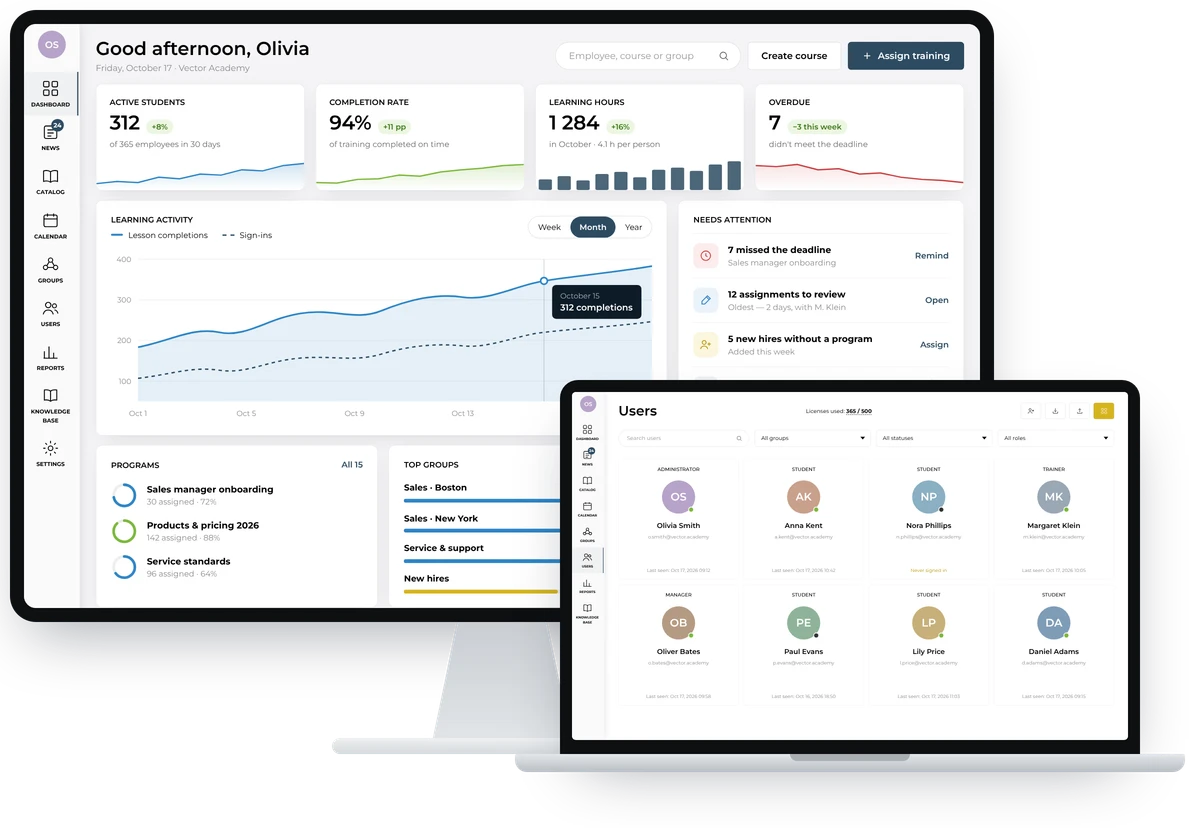
Admin dashboard: active students, completion rate, learning hours, activity chart and items that need attention

For administrators

  • Courses from video, PDF, SCORM, quizzes and assignments in one editor — built from scratch or imported
  • A quiz takes minutes: several question types, scores, a pass mark, attempts and a time limit
  • Employees and groups — added manually, imported from a file or via SSO, with those who never logged in shown at once
  • Programs assigned to groups with a deadline and a reminder by email and in the app three days before it
  • Reports on onboarding, completion, scores and overdue training for every group — exportable to CSV
For trainers

  • A review queue that shows how long each assignment has waited, with overdue ones in red
  • Feedback, scores and returns for rework — in one thread with the student, along with attachments and past comments
  • Stats for your own students: average score and the share of work accepted first time
  • A Difficult topics block suggests what to go over with the group again
  • Best answers go to the knowledge base for the whole team

For students

  • A clear learning path: program courses open one by one, and assigned ones show their deadline
  • Lessons with video, text, PDF, audio or SCORM, plus notes and downloadable materials
  • Quizzes and assignments with trainer feedback — the comment arrives as a push notification
  • An iOS and Android app with synced progress: start a lesson at the desk, finish it on the way
  • Progress, points, medals and a place in the group ranking
Content and courses

A course catalog by section

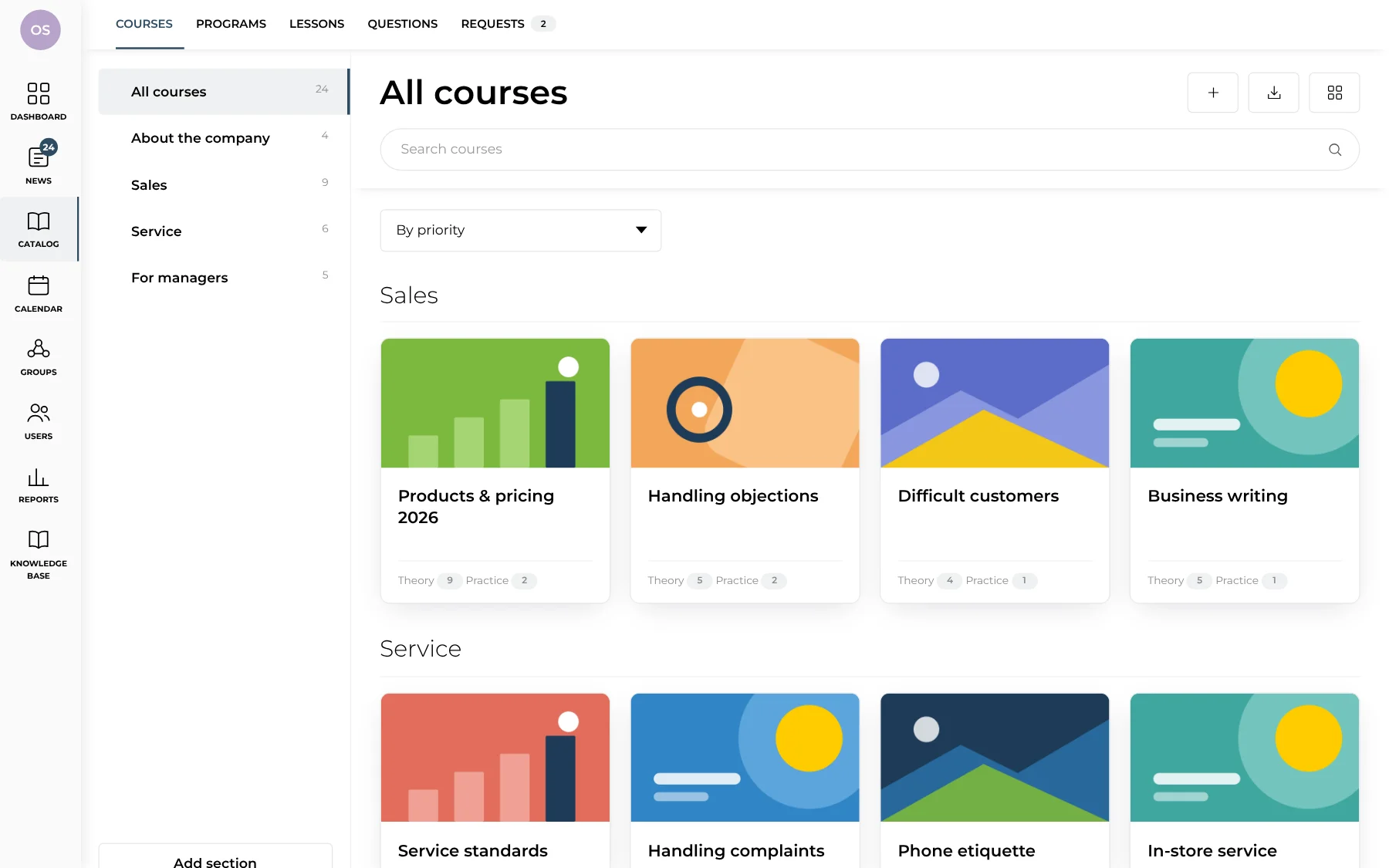
Course catalog with sections and course cards

Courses are grouped into sections: company, sales, service, leadership. Each card shows how much theory and practice the course has. A course can be built from scratch or imported, and its place in the catalog is set by priority.

Content and courses

Build a quiz in minutes

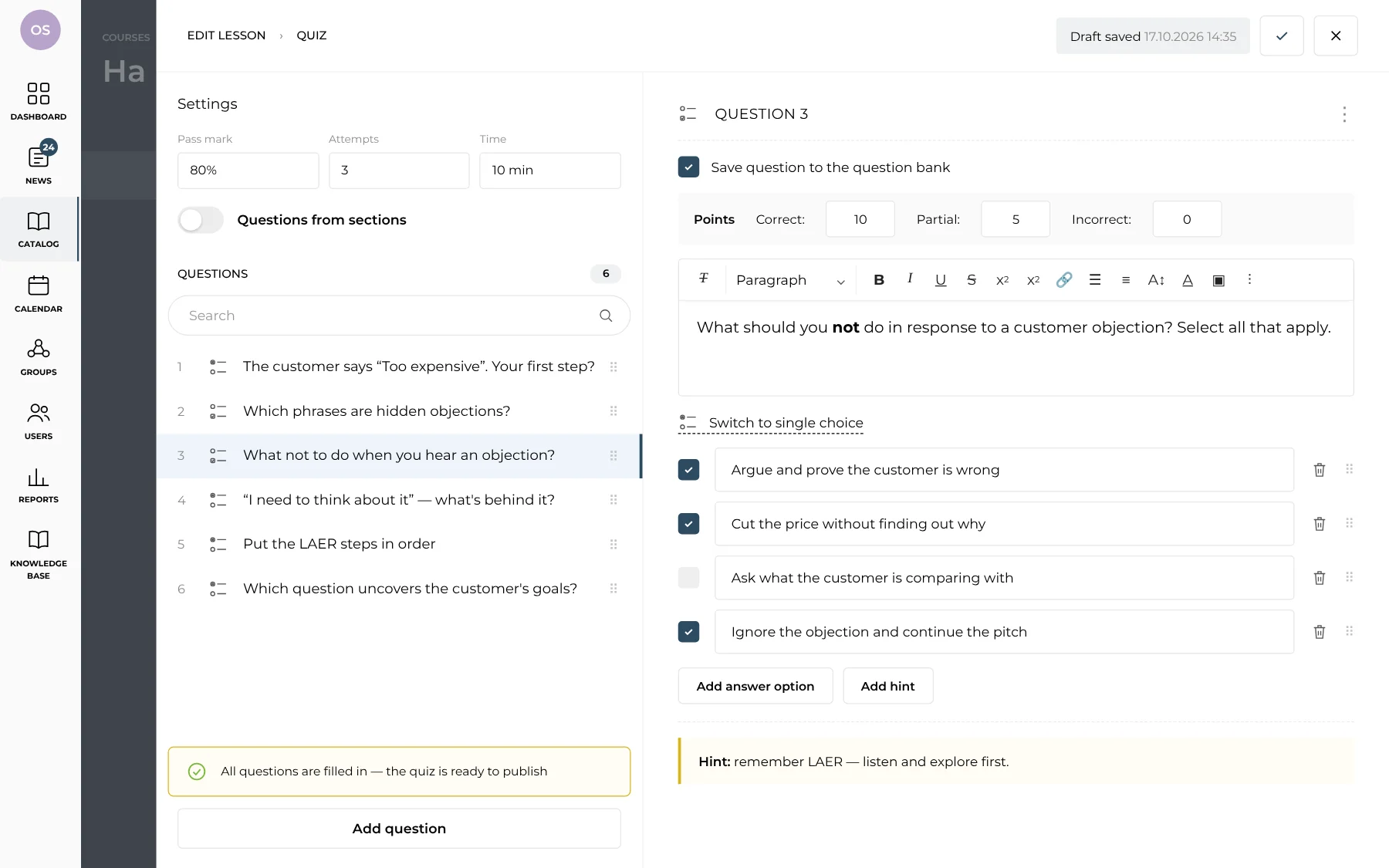
Quiz editor: question list, question text, answer options and points

Single and multiple choice, ordering and open questions, points for correct and partial answers, and a hint after answering. Pass mark, attempts and time limit live in the settings, and a good question can be saved to the shared question bank.

People and assignments

Employees and roles

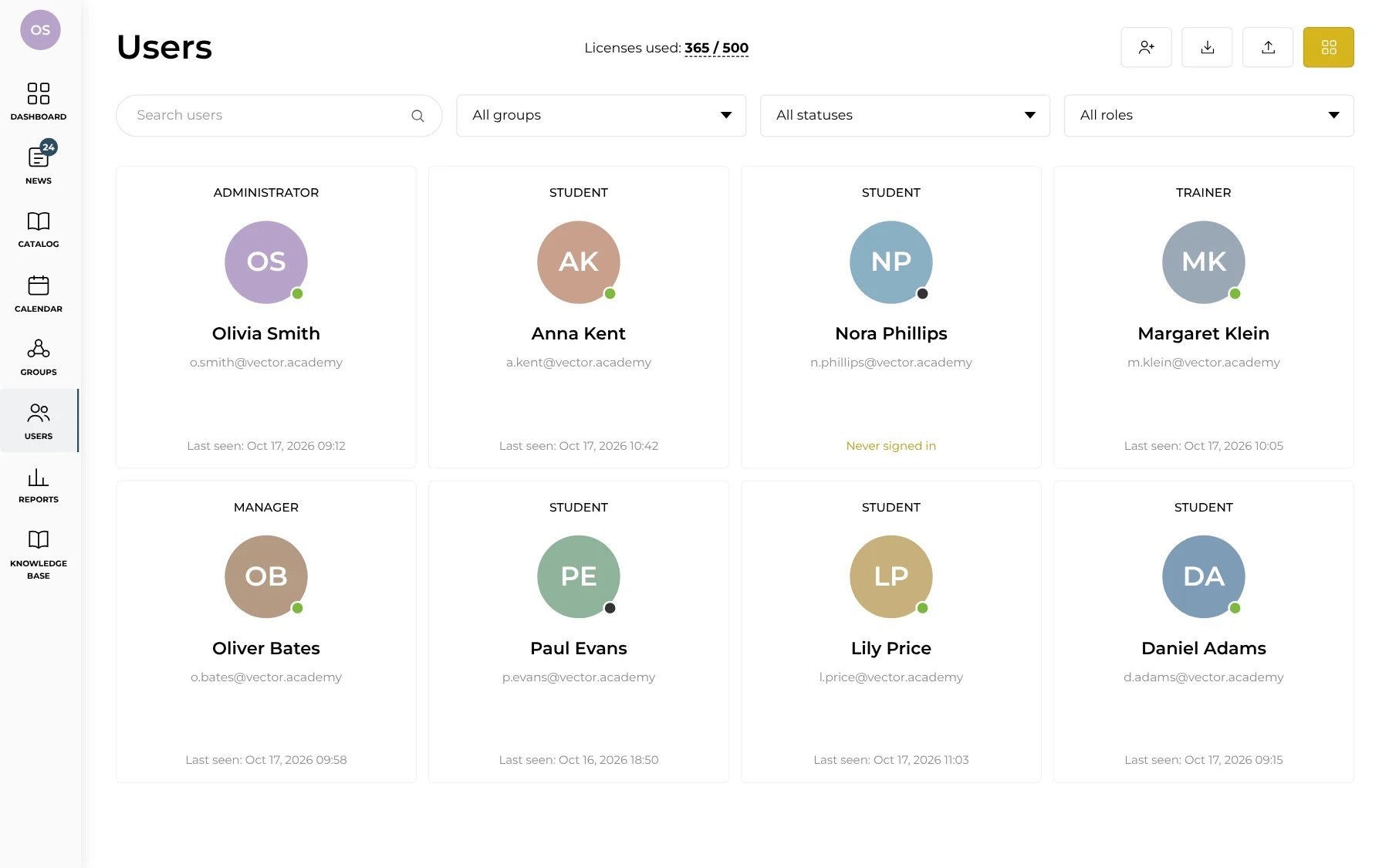
User list with roles, statuses and last visit

Administrators, trainers, managers and students in one list, filtered by group, status and role. Users are added manually, imported from a file or synced via SSO. You can see at once who has never signed in and how many licenses are used.

People and assignments

Assign in a couple of clicks

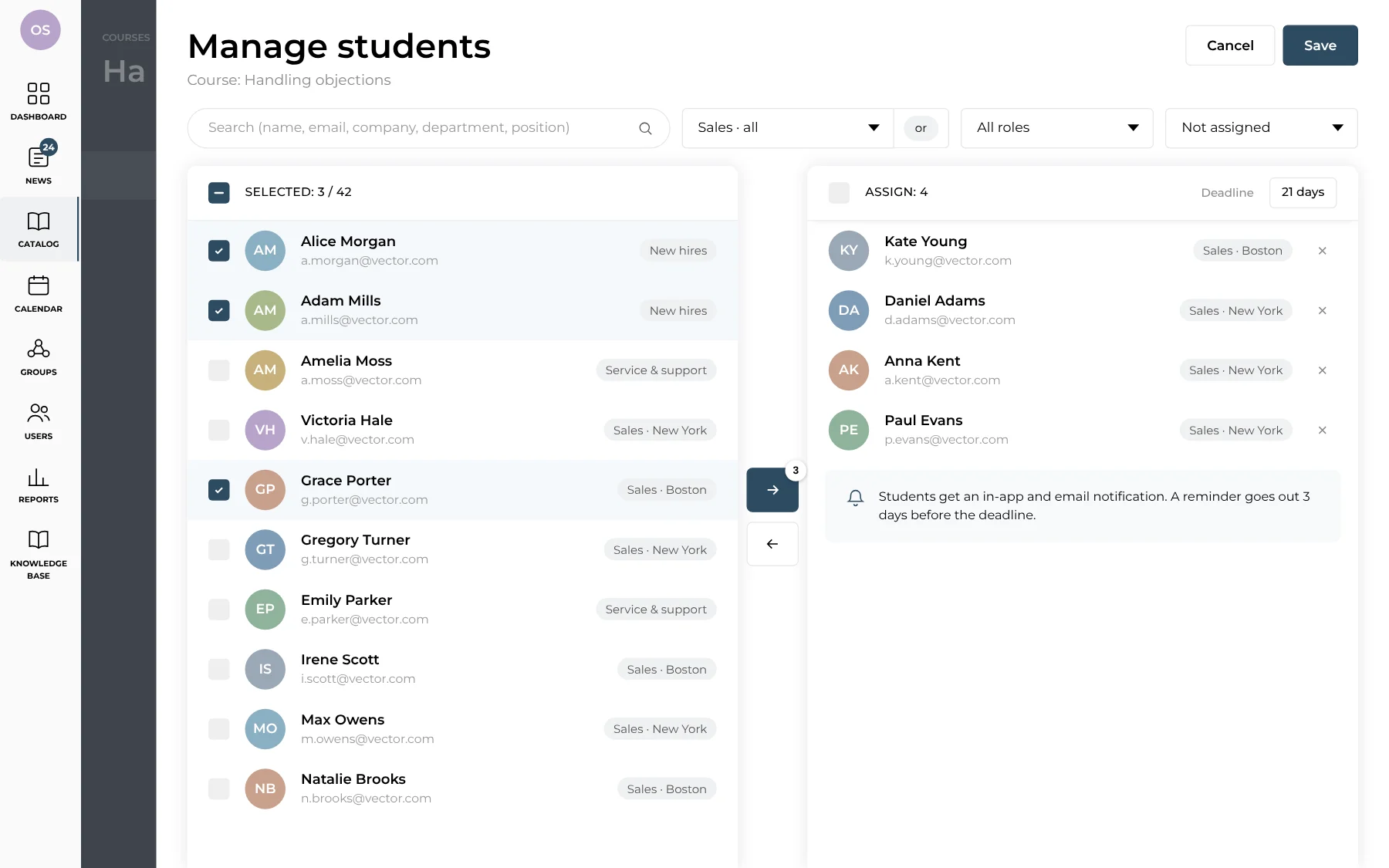
Assigning students to a course: picking employees and the list of assignees

Select employees by group, role or status and move them to the assignment list. Set a deadline for the course, and students get an in-app and email notification — with a reminder three days before it is due.

Analytics

Onboarding for every new hire

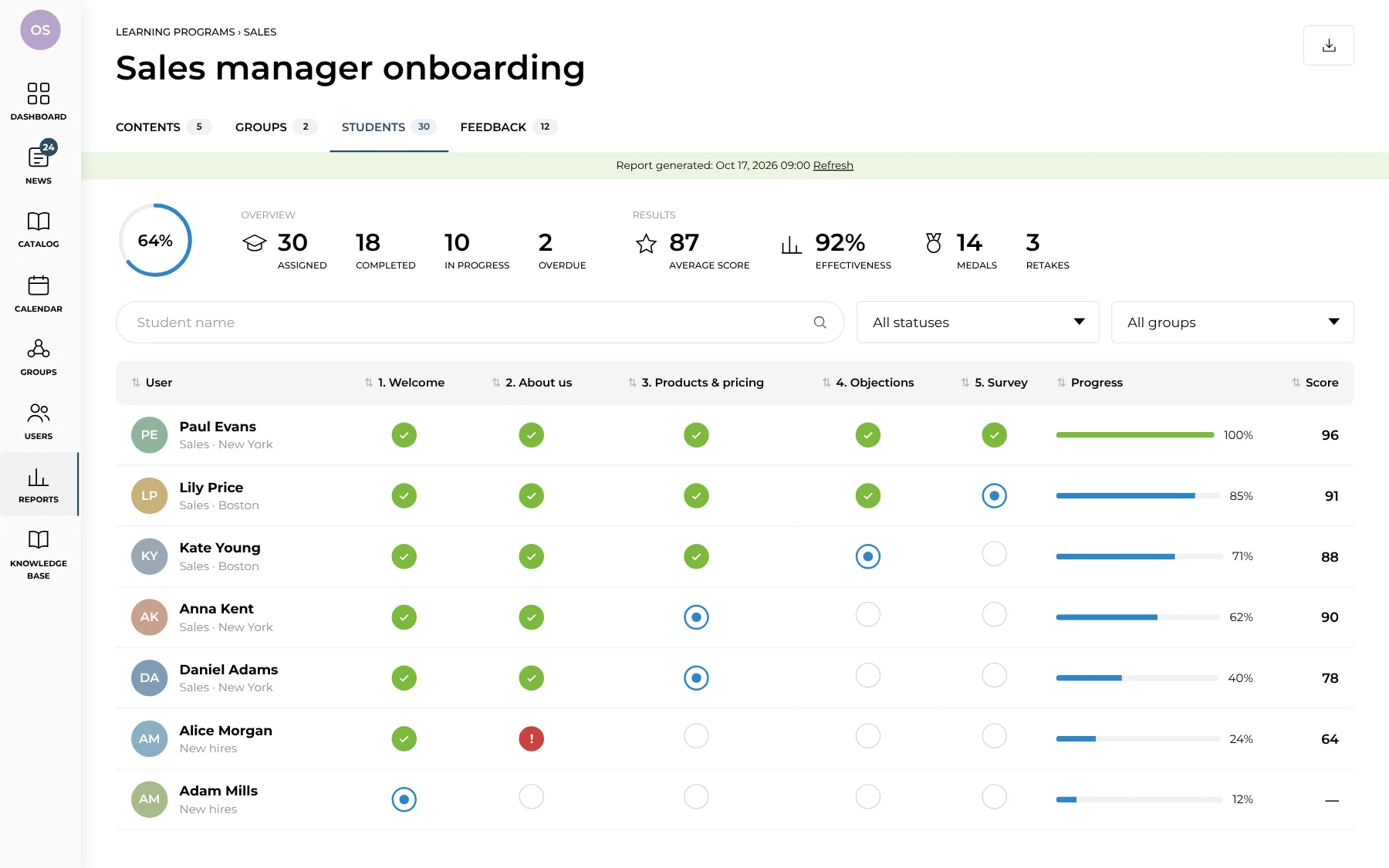
Stats for the “Sales manager onboarding” program by employee and stage

Program stats show who has finished onboarding, who is in progress and who missed a stage. For each employee you can see which steps are done, where they got stuck and their average score. The report exports to CSV.

Analytics

A leaderboard that engages

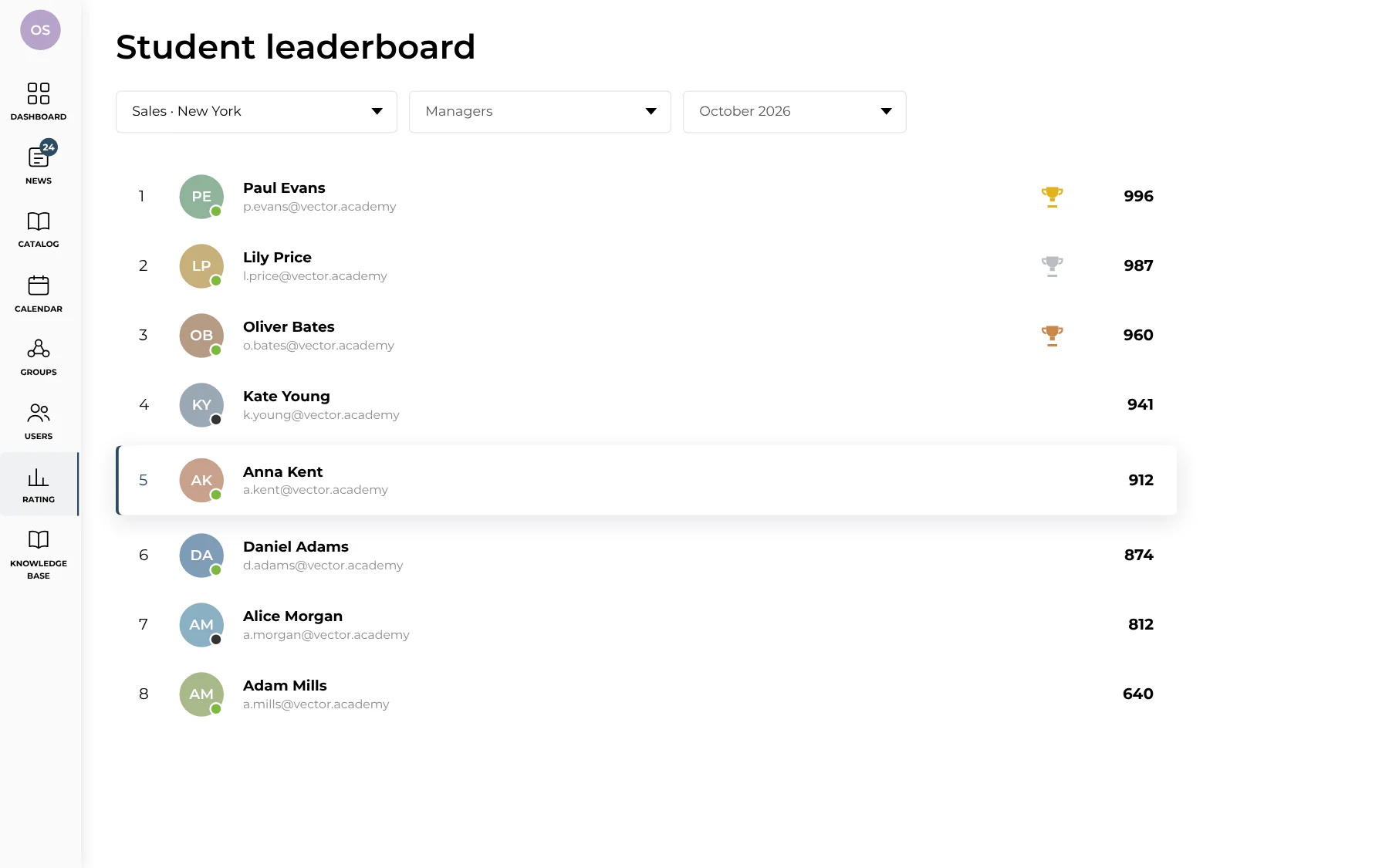
Group student leaderboard for October with medals

The student leaderboard by group and period shows the leaders and those falling behind. Top performers earn medals — a simple way to turn training into friendly competition inside the team.

Assignment review

A review queue for trainers

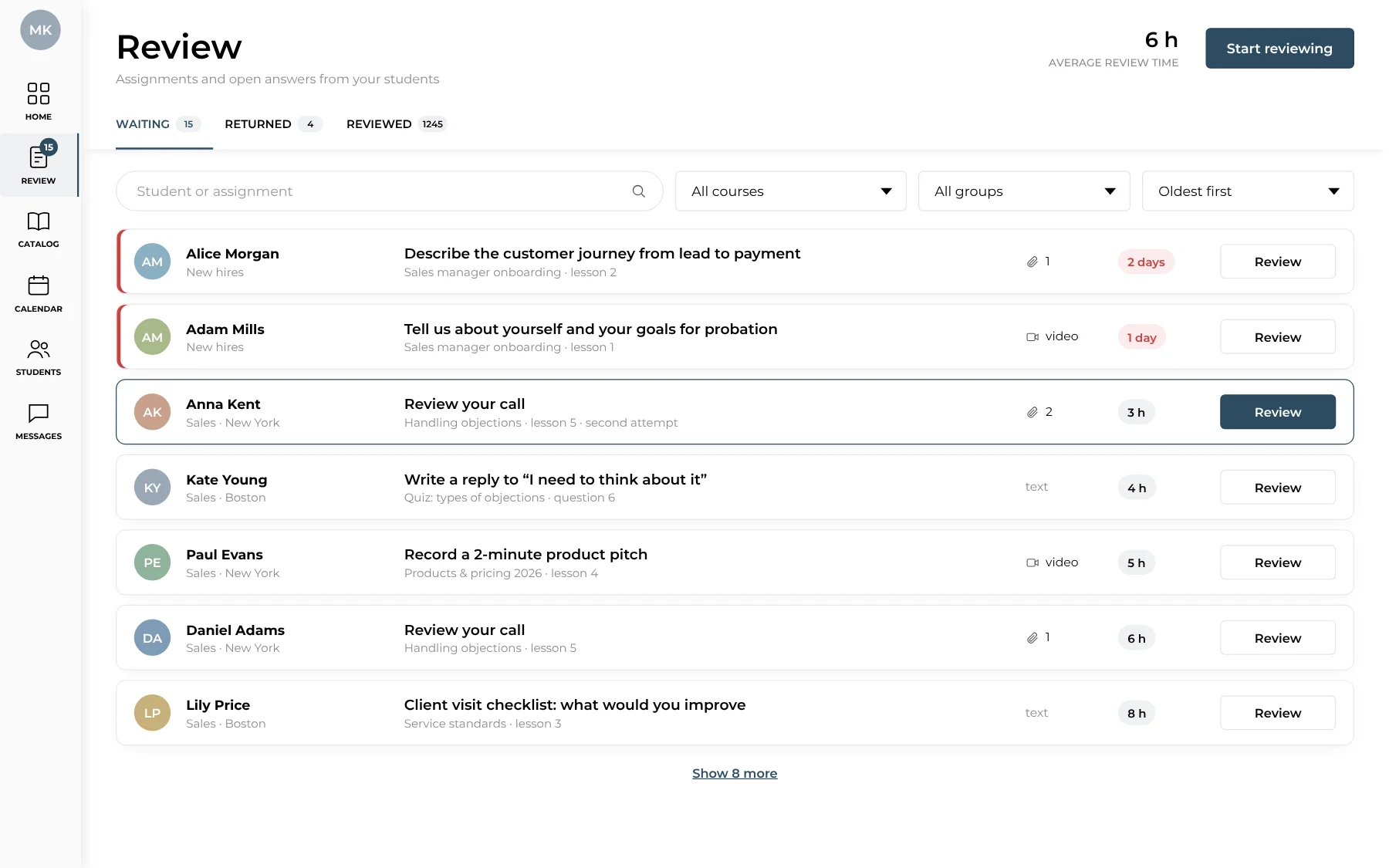
List of assignments to review with waiting time

All assignments and open answers from students in one list, filtered by course and group. You can see how long each assignment has been waiting, and overdue ones are highlighted in red. Trainers also see their average review time.

Assignment review

Reviews read like a conversation

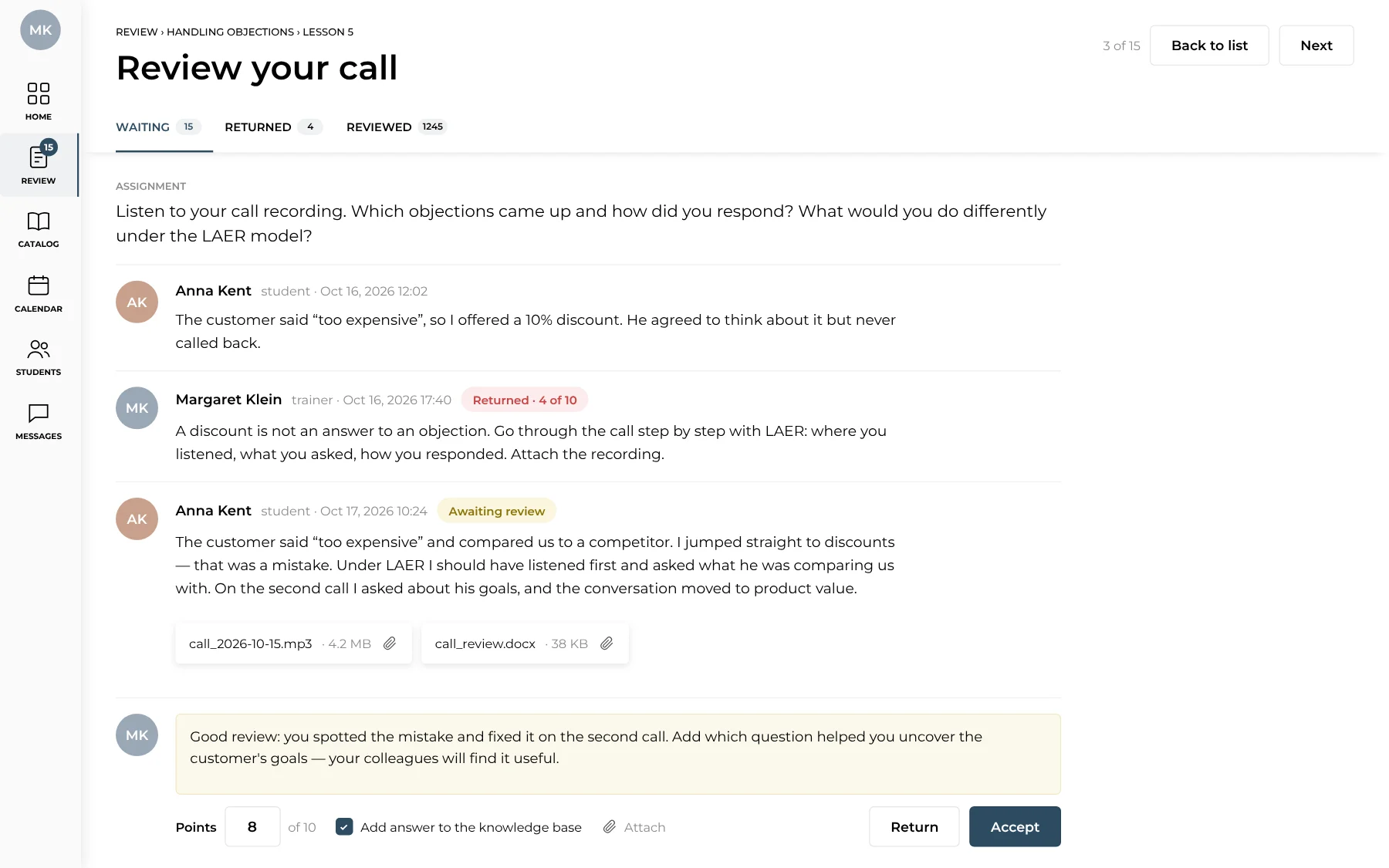
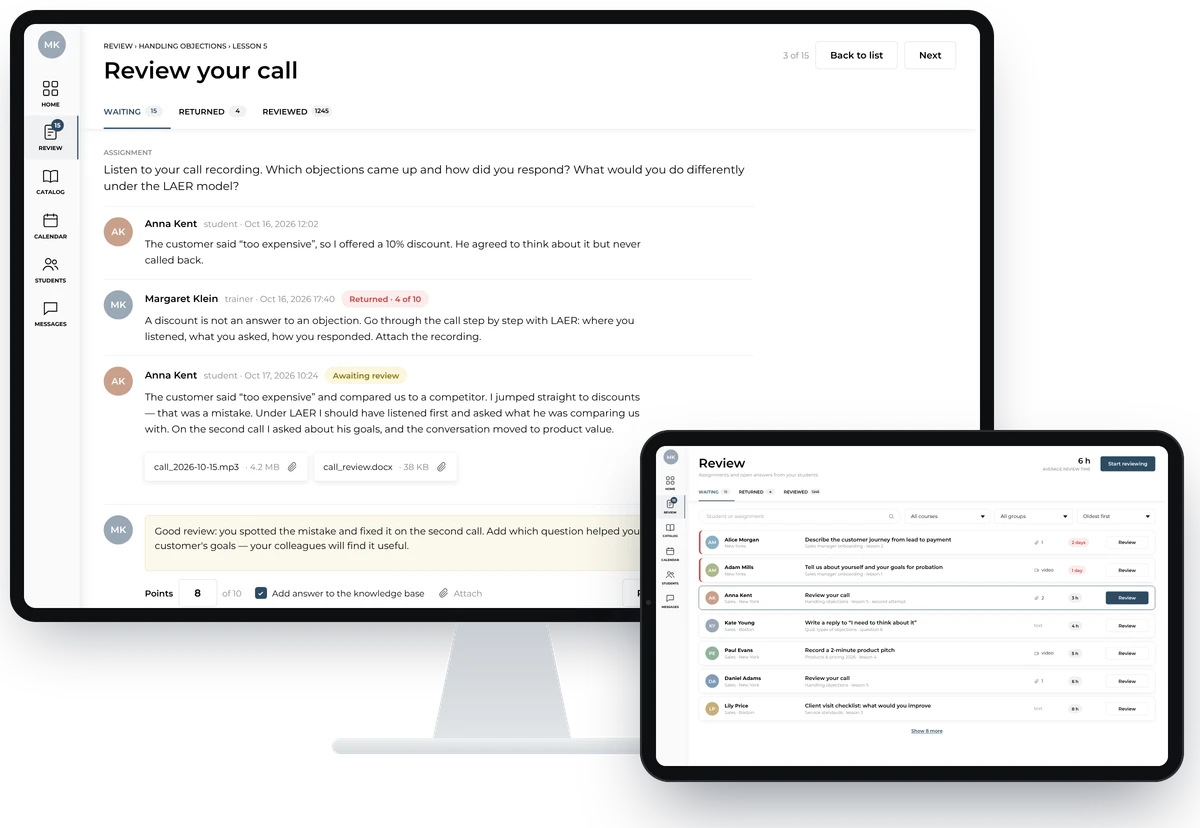
Assignment review: history of student answers and trainer comments

The assignment, the student's answers, attachments and earlier trainer comments sit in one thread. The trainer gives points, leaves a comment and accepts the work or returns it for rework. A strong answer can be added to the knowledge base.

Assignment review

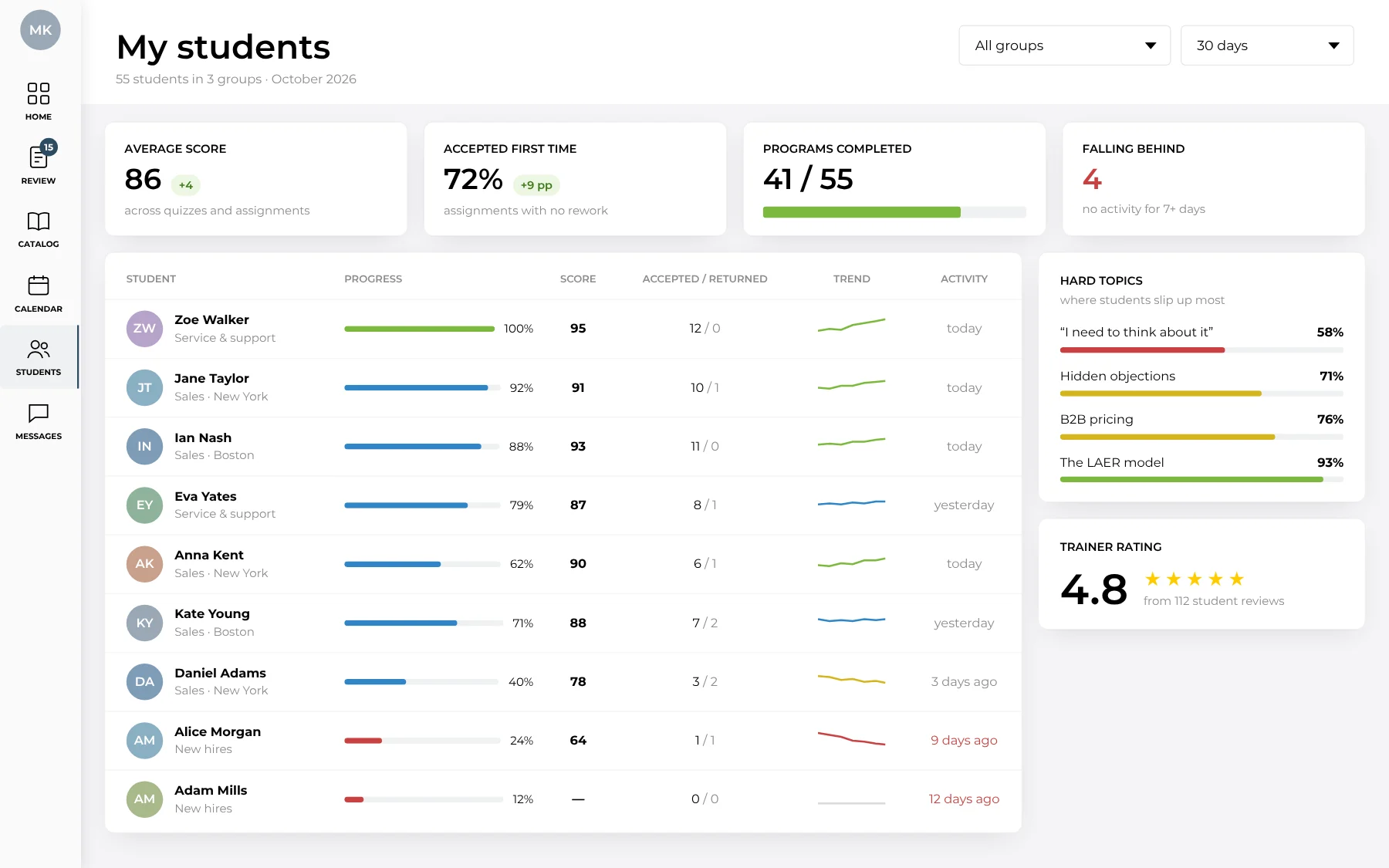
Stats for a trainer's students

Trainer's student stats: progress, scores, trend and hard topics

Average score, share of work accepted first time and completed programs for each student. Students falling behind stand out right away, and “Hard topics” suggests what to go over with the group again.

Student learning

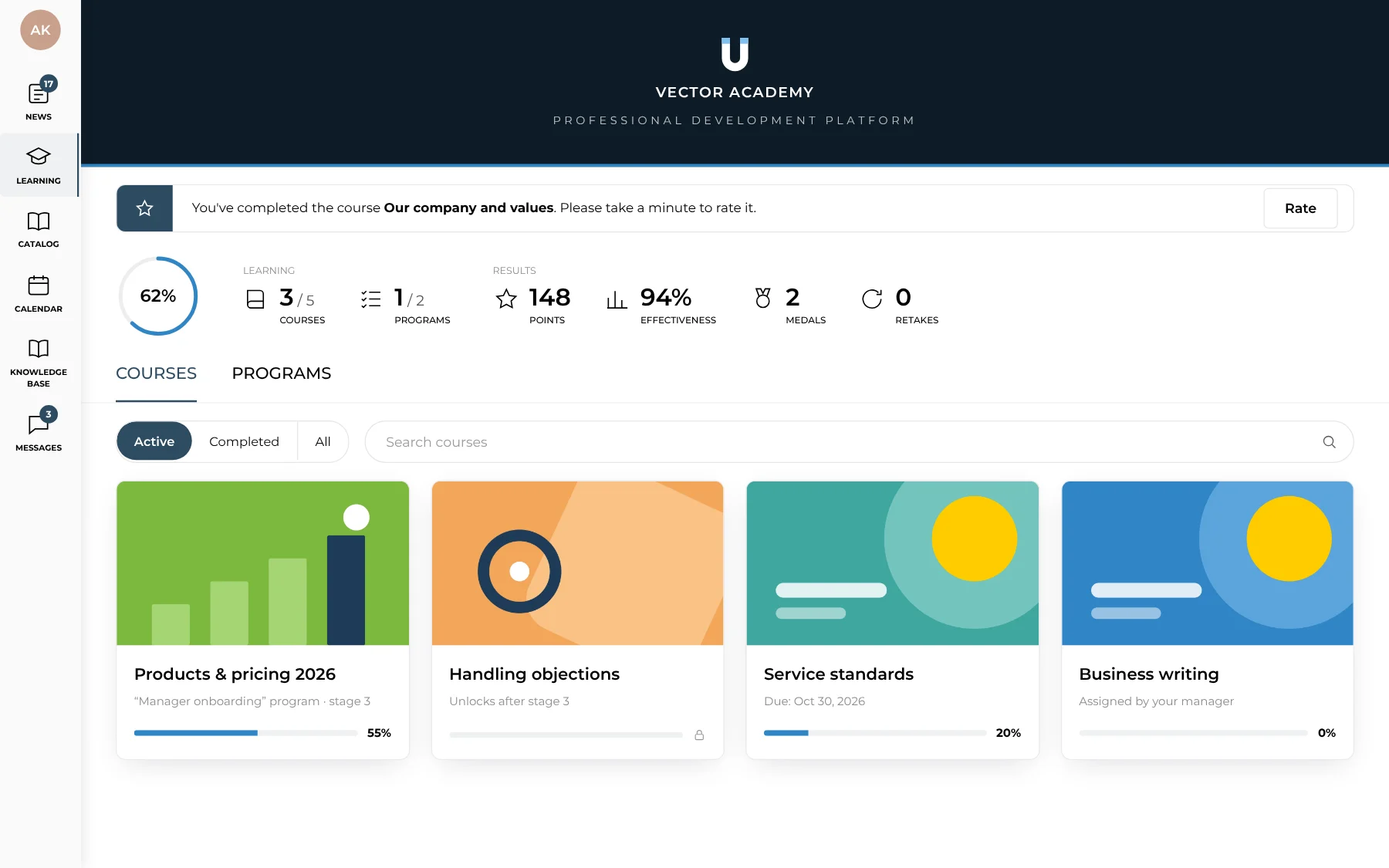
The student's personal space

Student's Learning section: progress, courses and programs

Students see their courses and programs, overall progress, points and medals. Courses in a program unlock one after another, and assigned courses show their deadline. After a course the platform asks for a rating.

Student learning

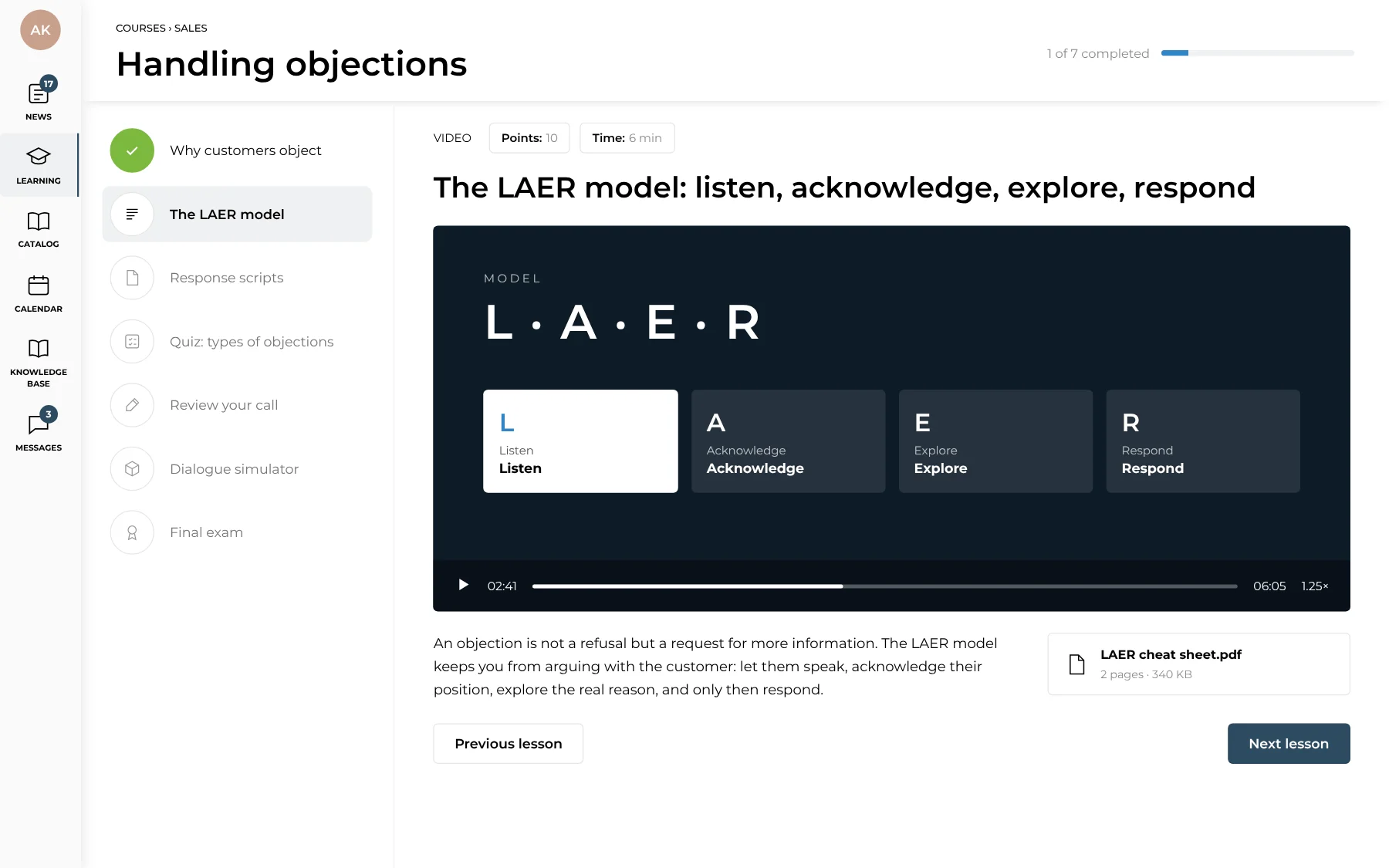
Lessons with video and materials

Course lesson with video, notes and a downloadable cheat sheet

A lesson can be video, text, PDF, audio or SCORM. The course contents and completed lessons are on the left; under the video are notes and downloadable materials. The header shows how many lessons are done.

Mobile app

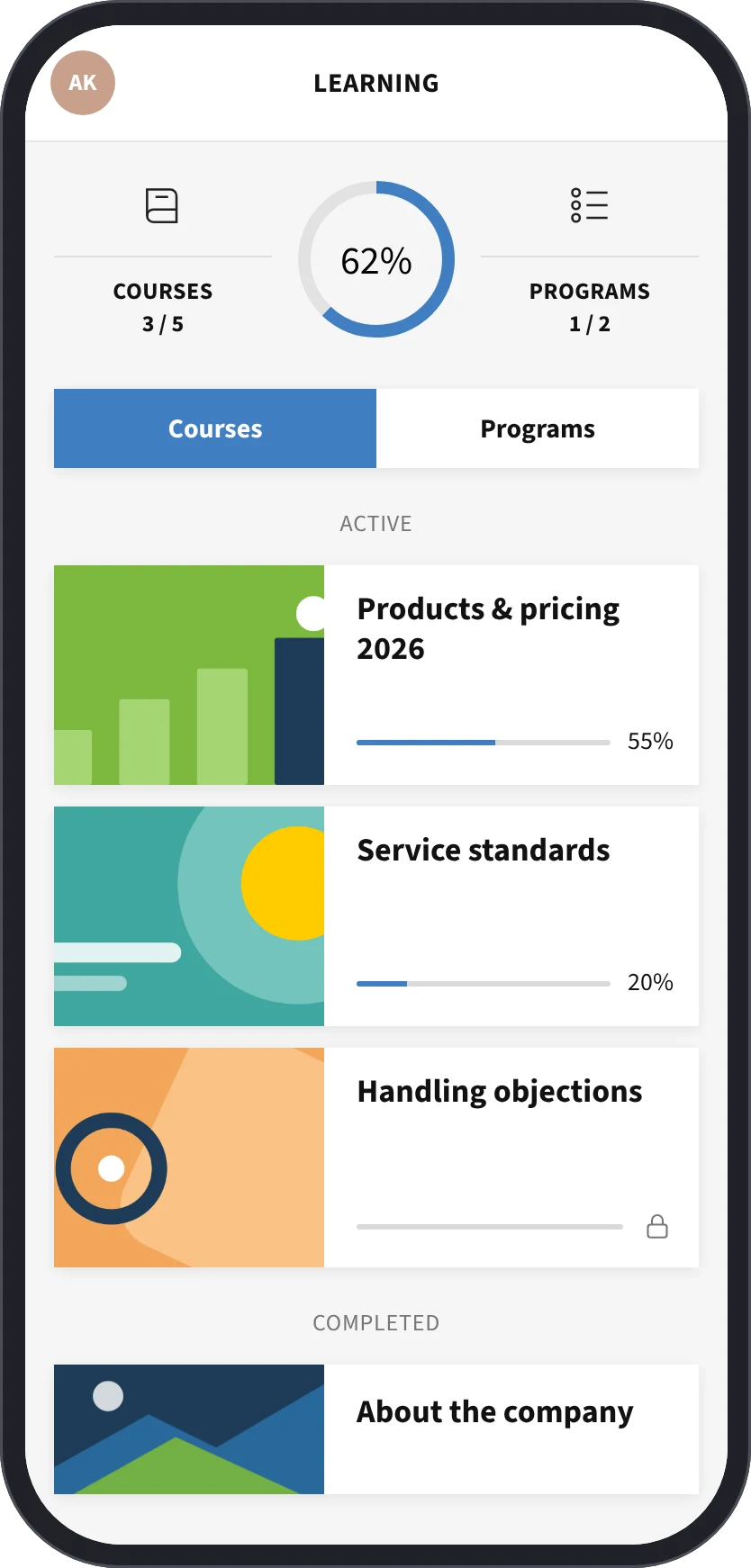
Learning on the phone

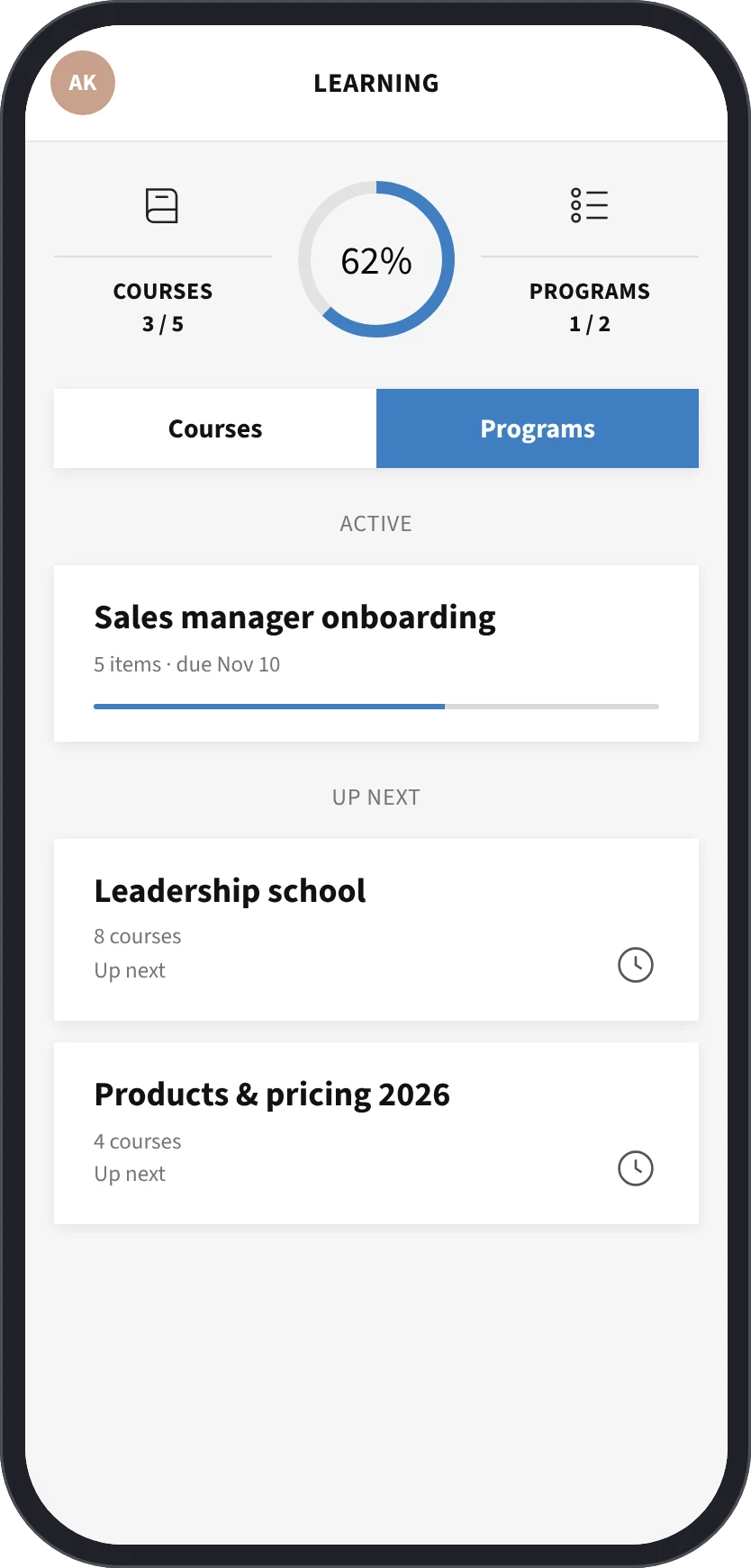
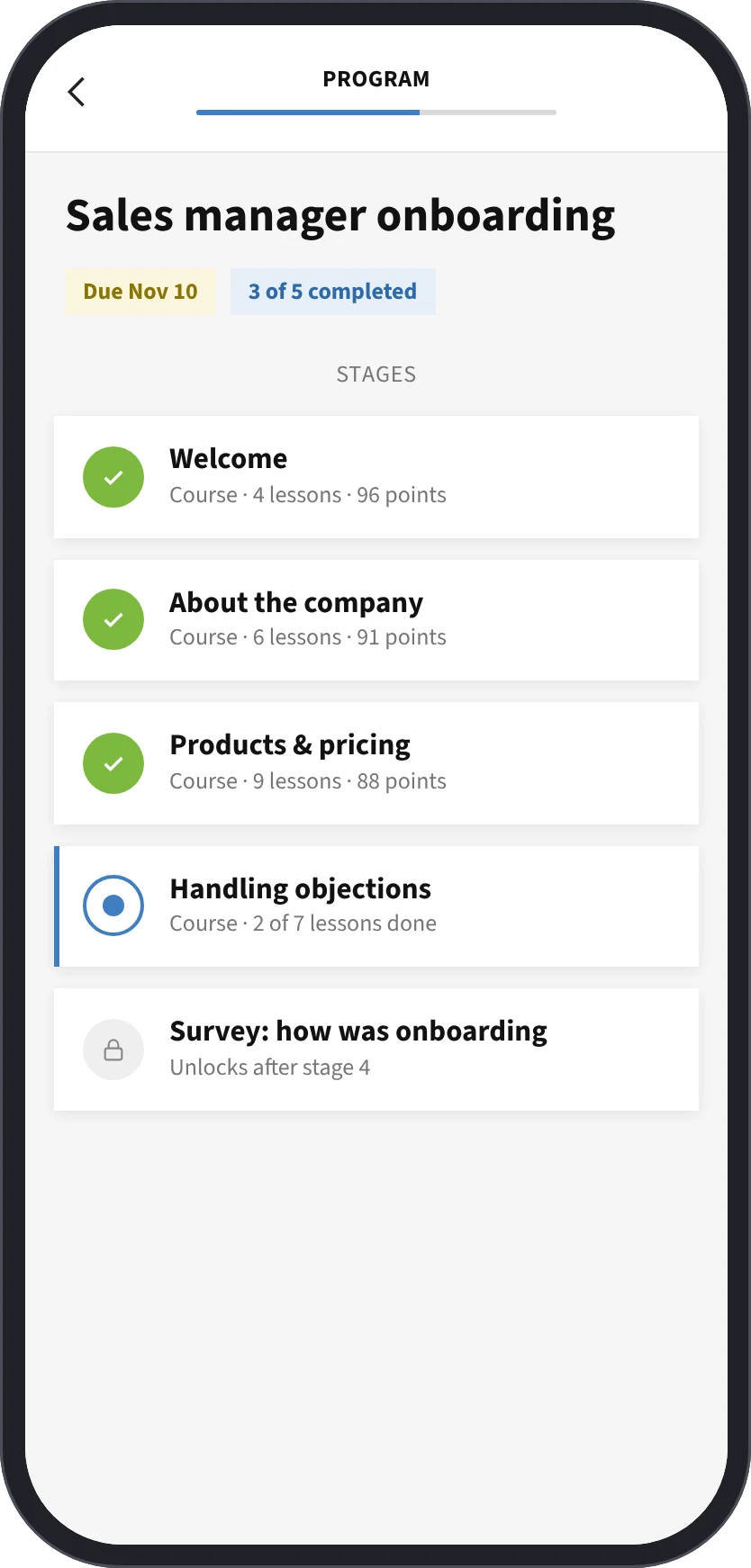
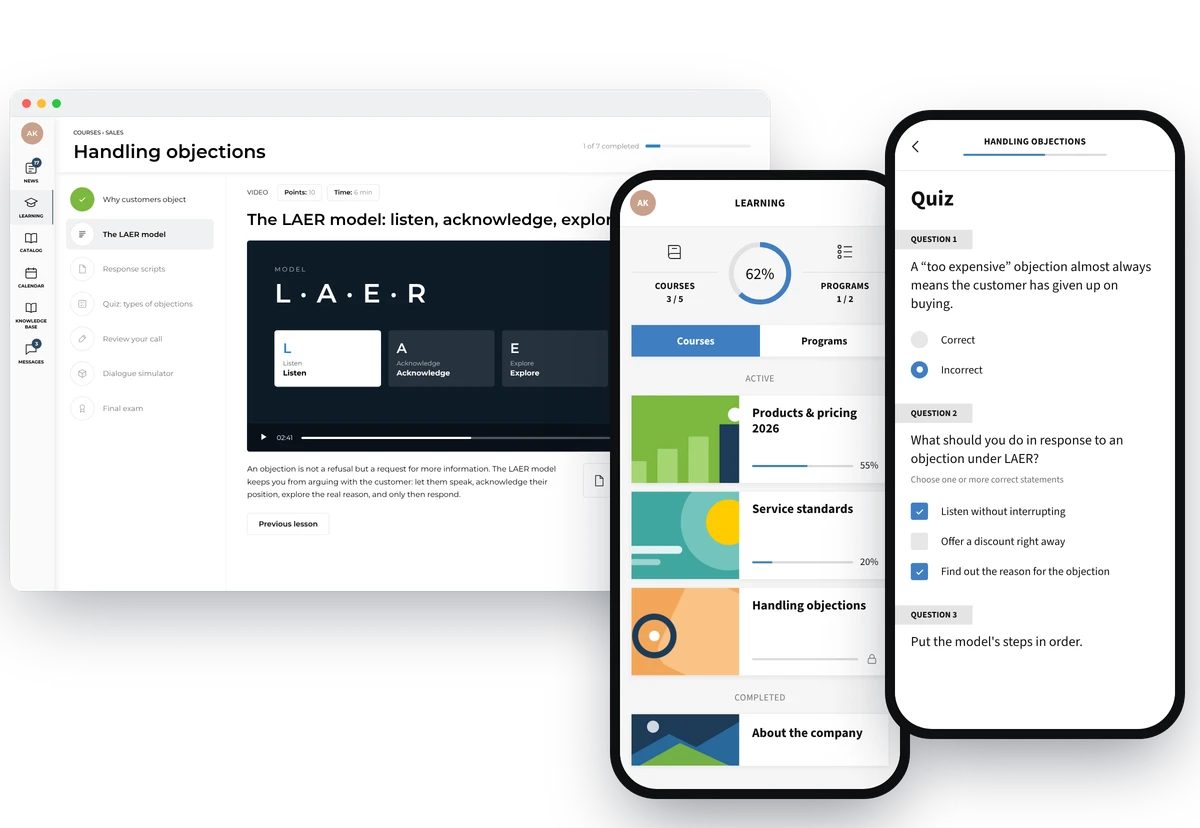
Mobile app: courses, programs and a program page

The iOS and Android app has the same courses and programs as the browser, and a program page shows every stage and the deadline. Progress syncs, so a lesson started on the computer can be finished on the go.

Mobile app

Lessons, quizzes and assignments in the app

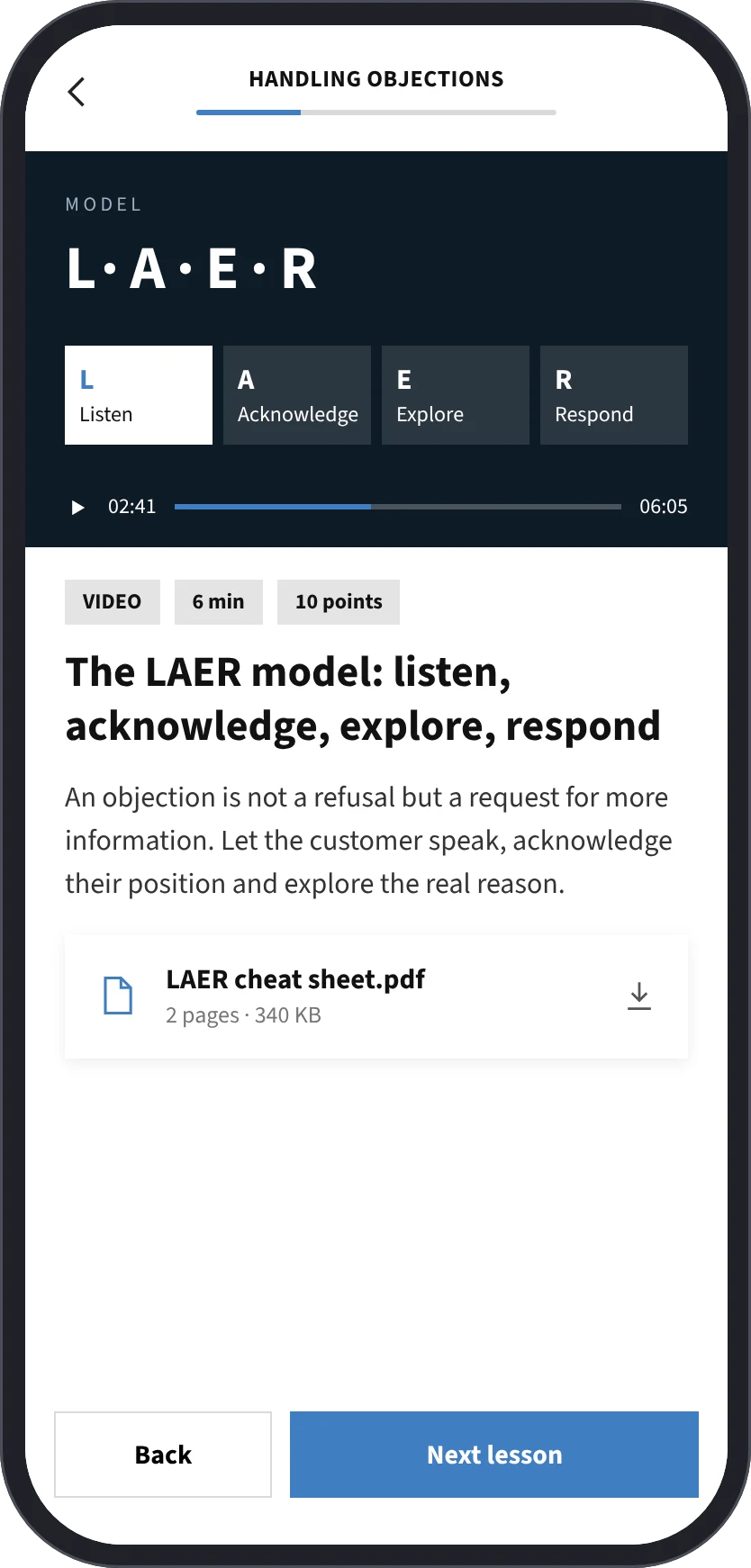
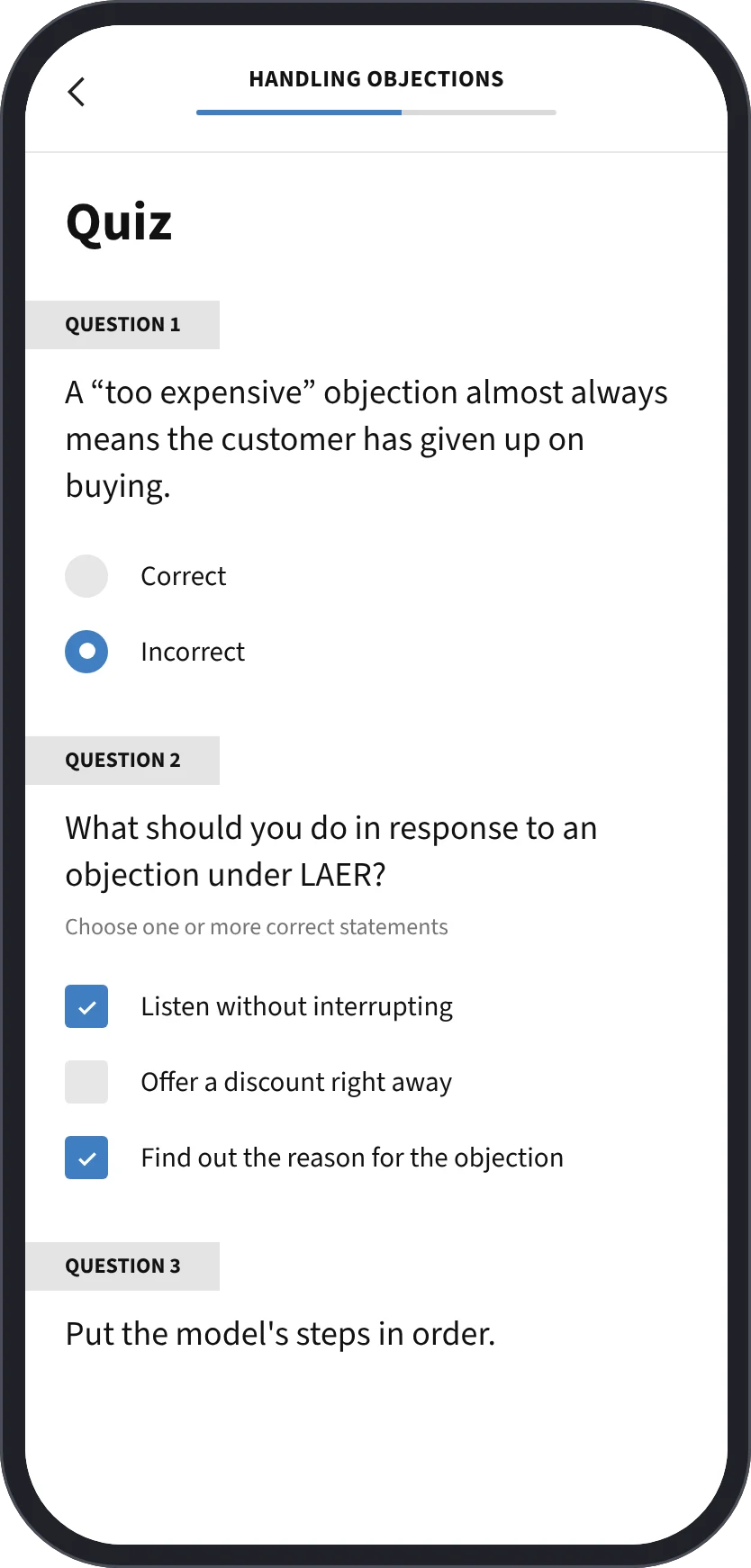
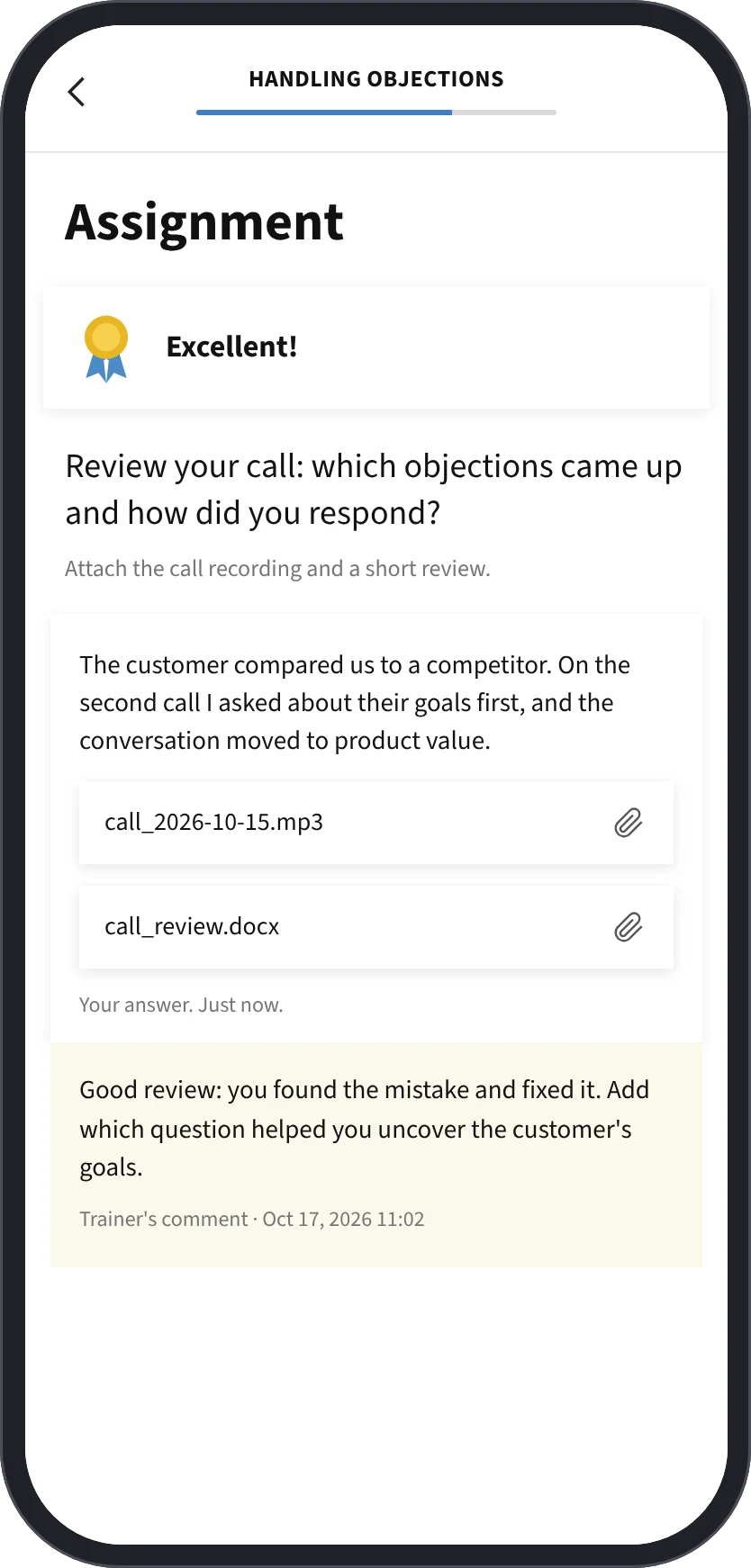
Mobile app: a lesson, a quiz and an assignment with the trainer's comment

A video lesson with notes and materials, a quiz and an assignment — all in the app. A call recording or document can be attached to an assignment. The trainer's comment arrives as a push notification and stays with the assignment.

skin in the game

We don’t just build for clients. We run our own products.

Since 2013 we have launched, sold and operated our own services. That changes how we work on yours.

  1. 01

    Owner’s judgment

    We weigh every feature against cost and payback — and push back on scope that doesn’t serve the goal.

  2. 02

    Production-proven stack

    The architecture we recommend is the one running our own products under real load.

  3. 03

    We stay after launch

    We operate our own services 24/7, so monitoring, releases and incidents are routine, not an upsell.

  4. 04

    Business, not just code

    Pricing, payments, analytics, growth — we have been through it ourselves and speak your language.