Media BankSome project information is withheld from public access under an NDA. Further details may be shared on personal inquiry.
Tourism · Photo & video
Photos and videos in one library. AI does the tagging.
A media bank for a tourism organization: a private photo and video library for the photo desk, press office, social media team and partners. We built the catalog with albums and license filters, uploads from a computer and folder import from cloud storage, automatic file processing with AI tags, a processing console and access management.
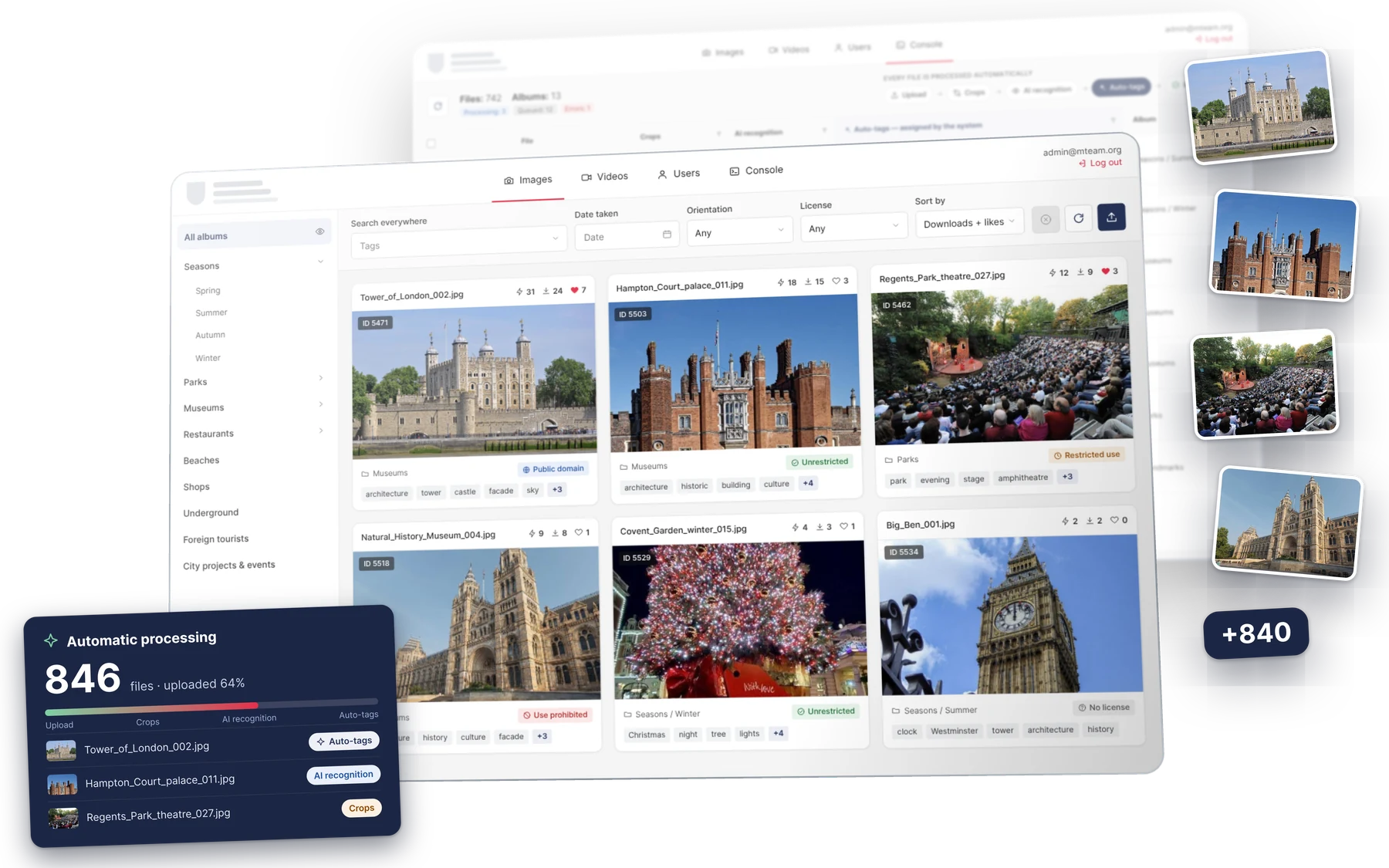
Every uploaded file goes through a pipeline with no manual work: crops, content recognition and auto-tags. Photos and videos can be found by tags straight away, and the folder structure from cloud storage becomes albums.
Catalog
Thousands of photos and videos in one catalog: albums and sections of any depth, everything in its place
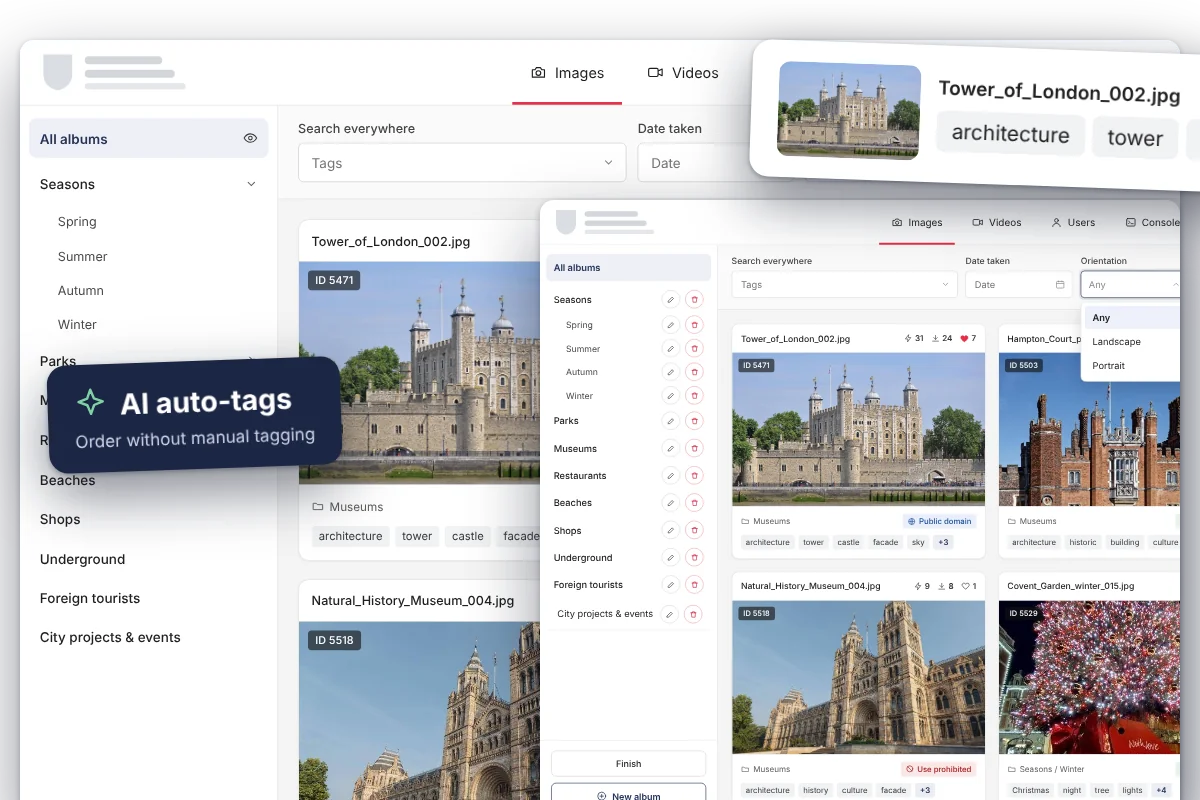
AI assigns the tags itself — no manual labeling needed, and mistakes can be fixed in the file card
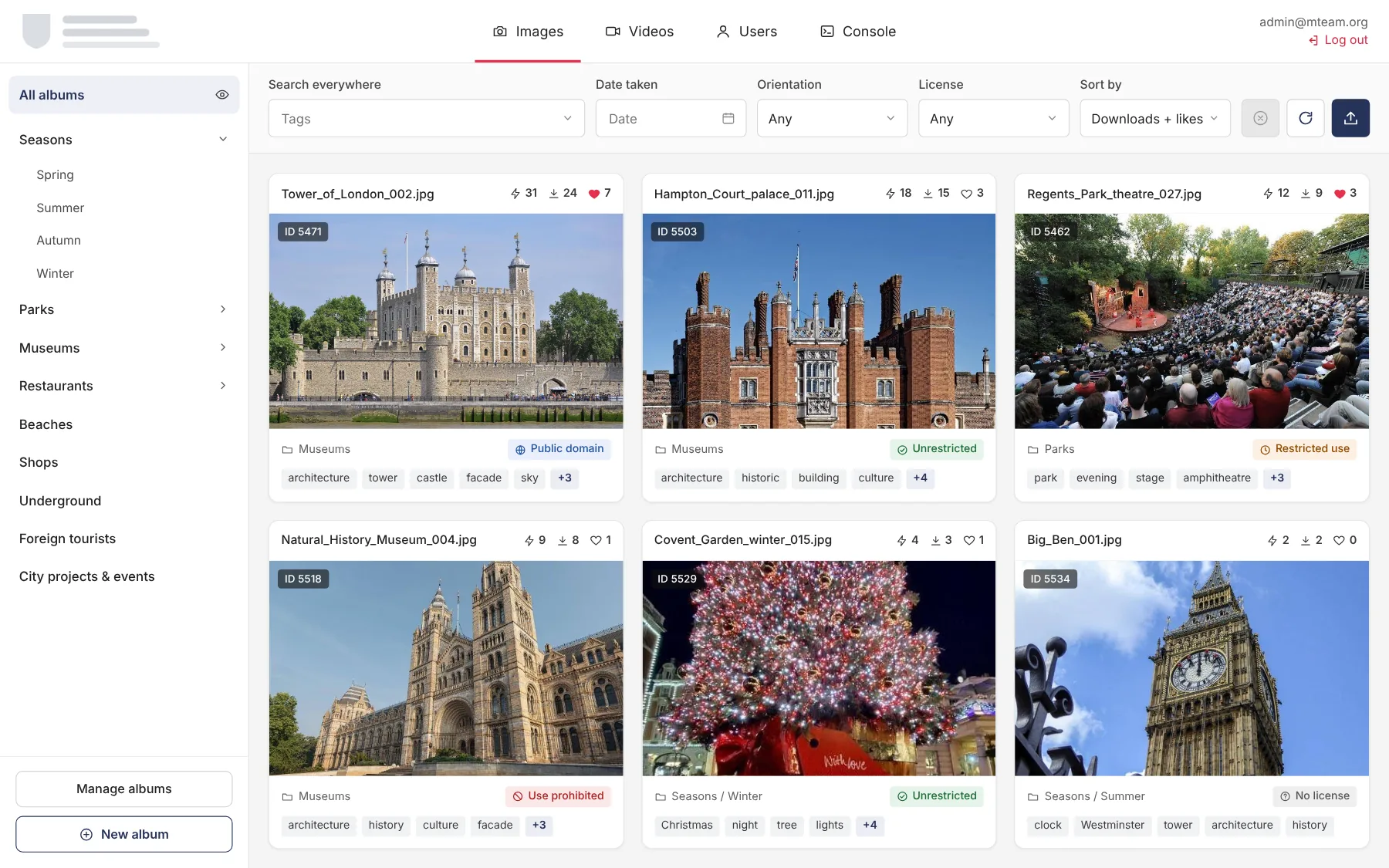
Search by tags, shooting date, orientation and license, with all filters in a single row
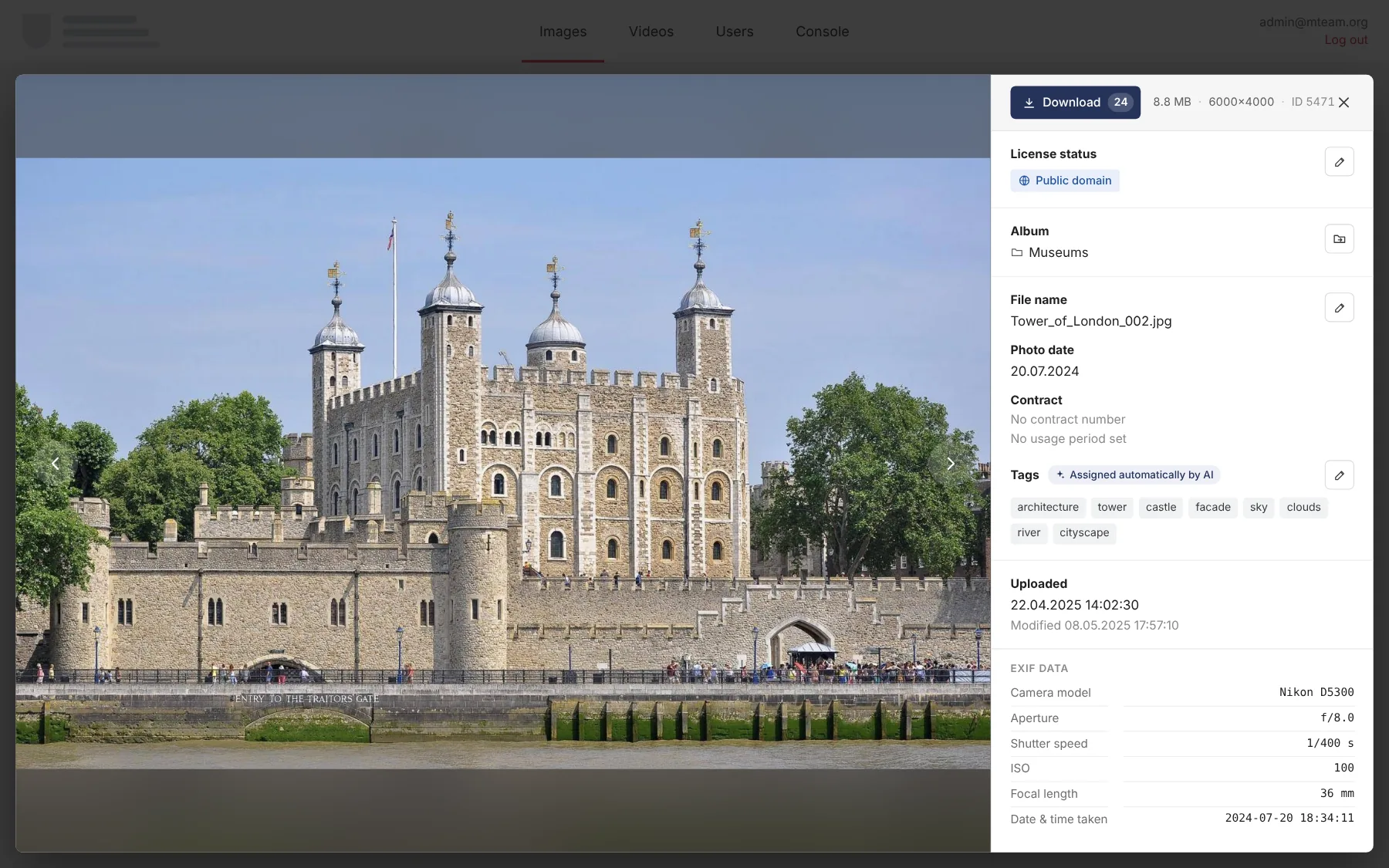
A file card with a preview, shooting data and tags
Every file has a license status and a contract, so it is clear at once what can be published
Import
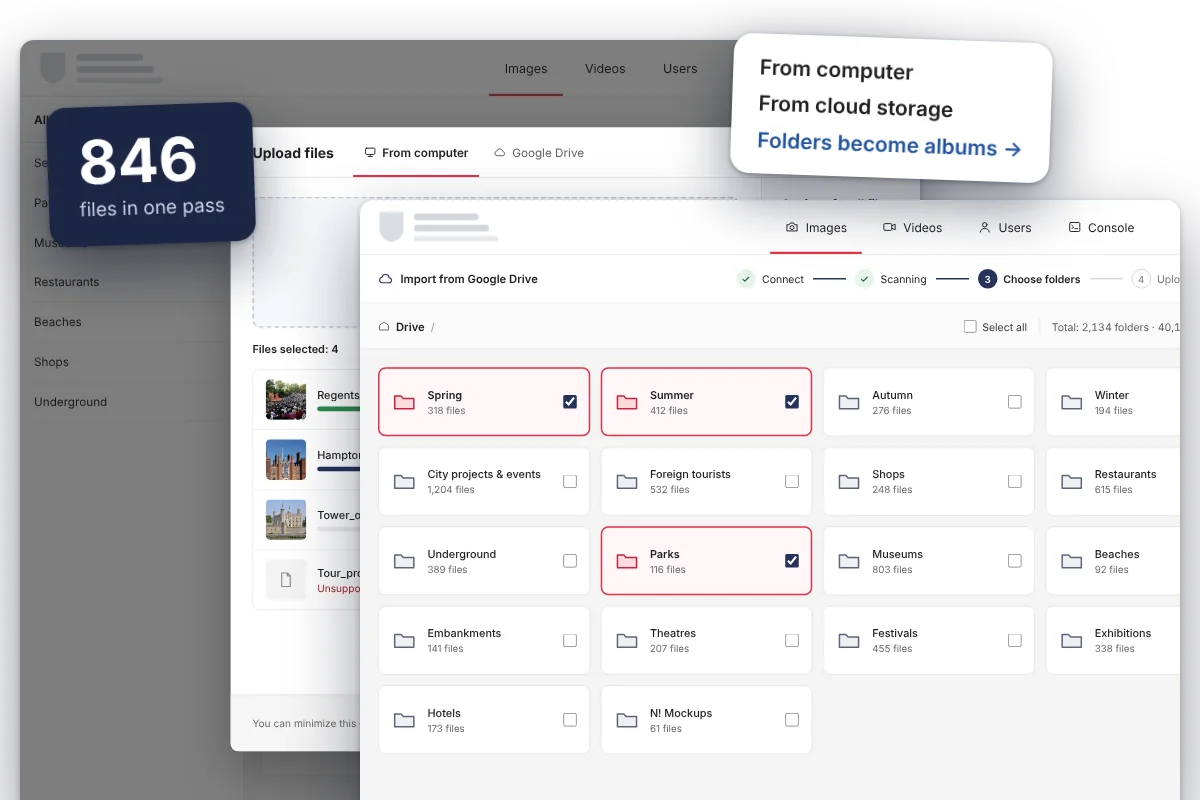
Upload from a computer or cloud storage in one interface, with no switching between services
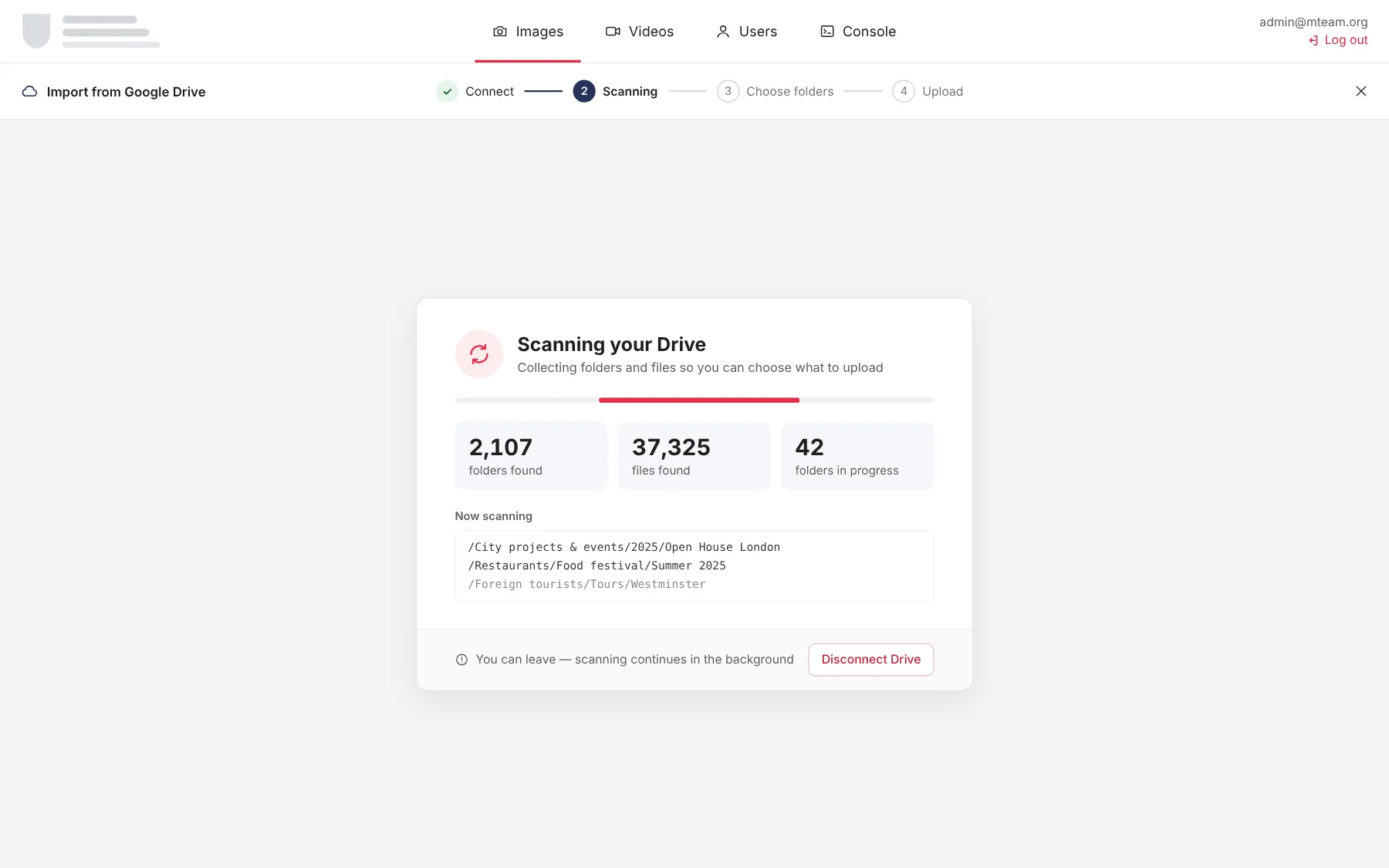
Storage is connected read-only — original files are never changed or deleted
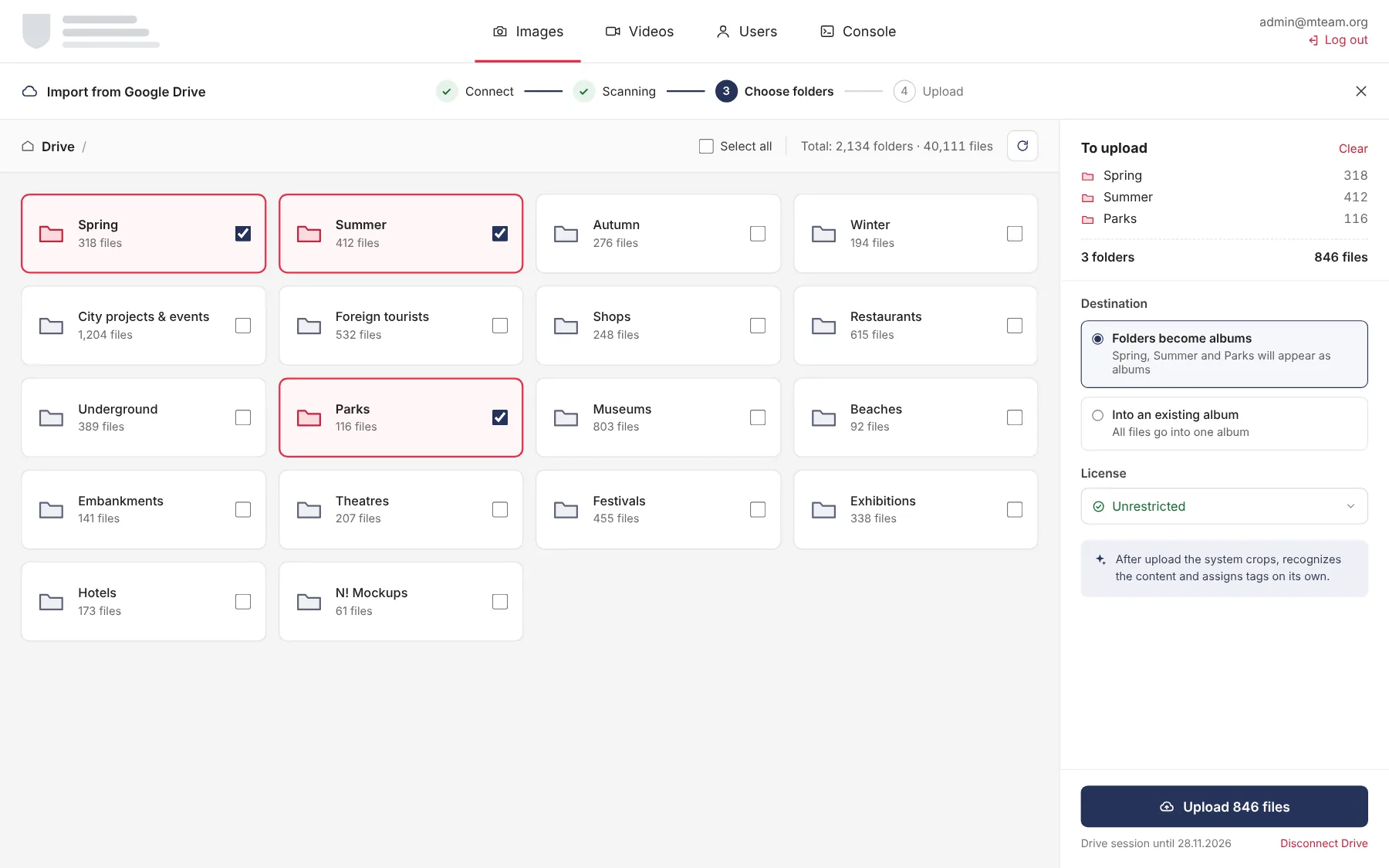
Selected folders turn into albums on their own and keep their structure
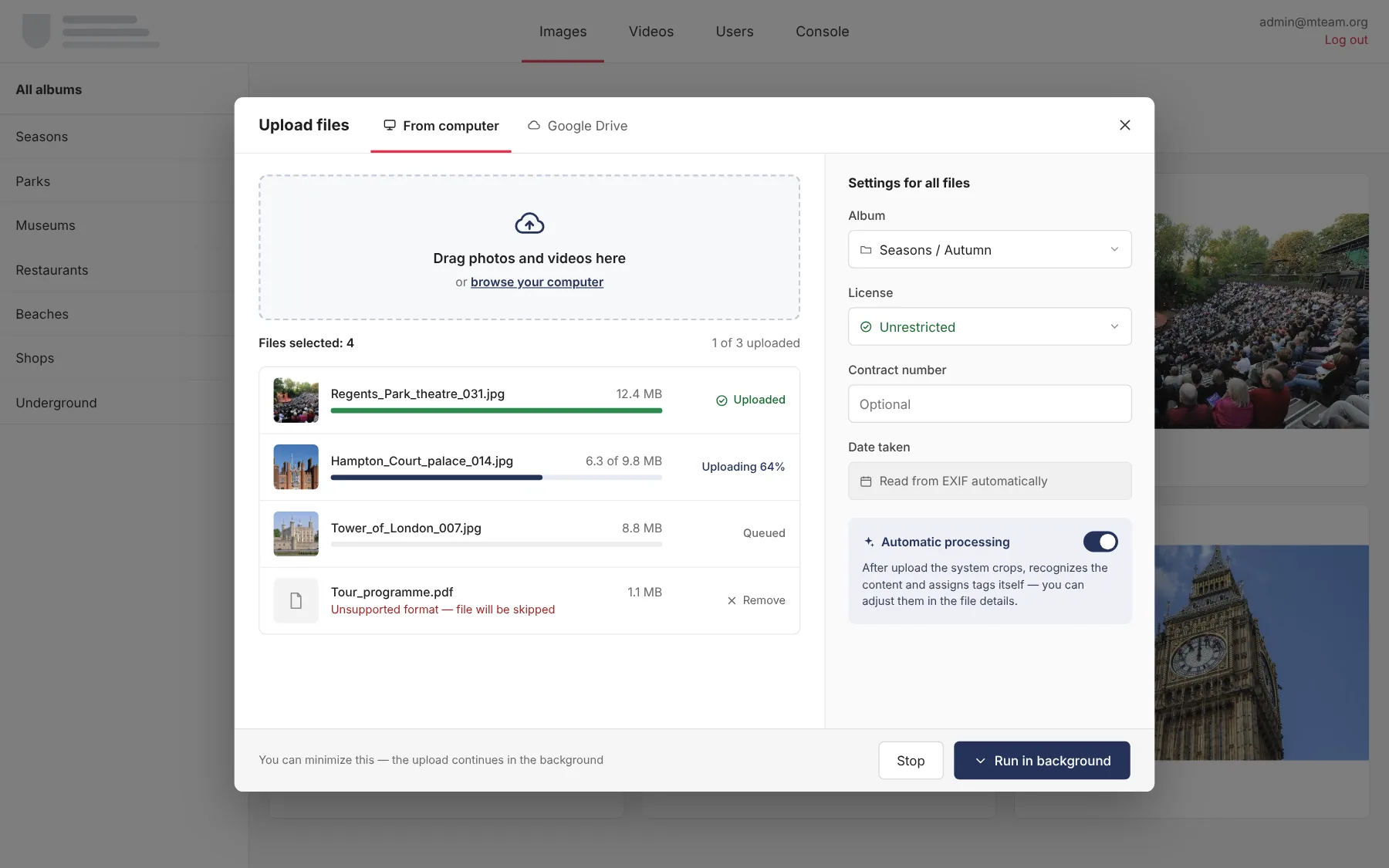
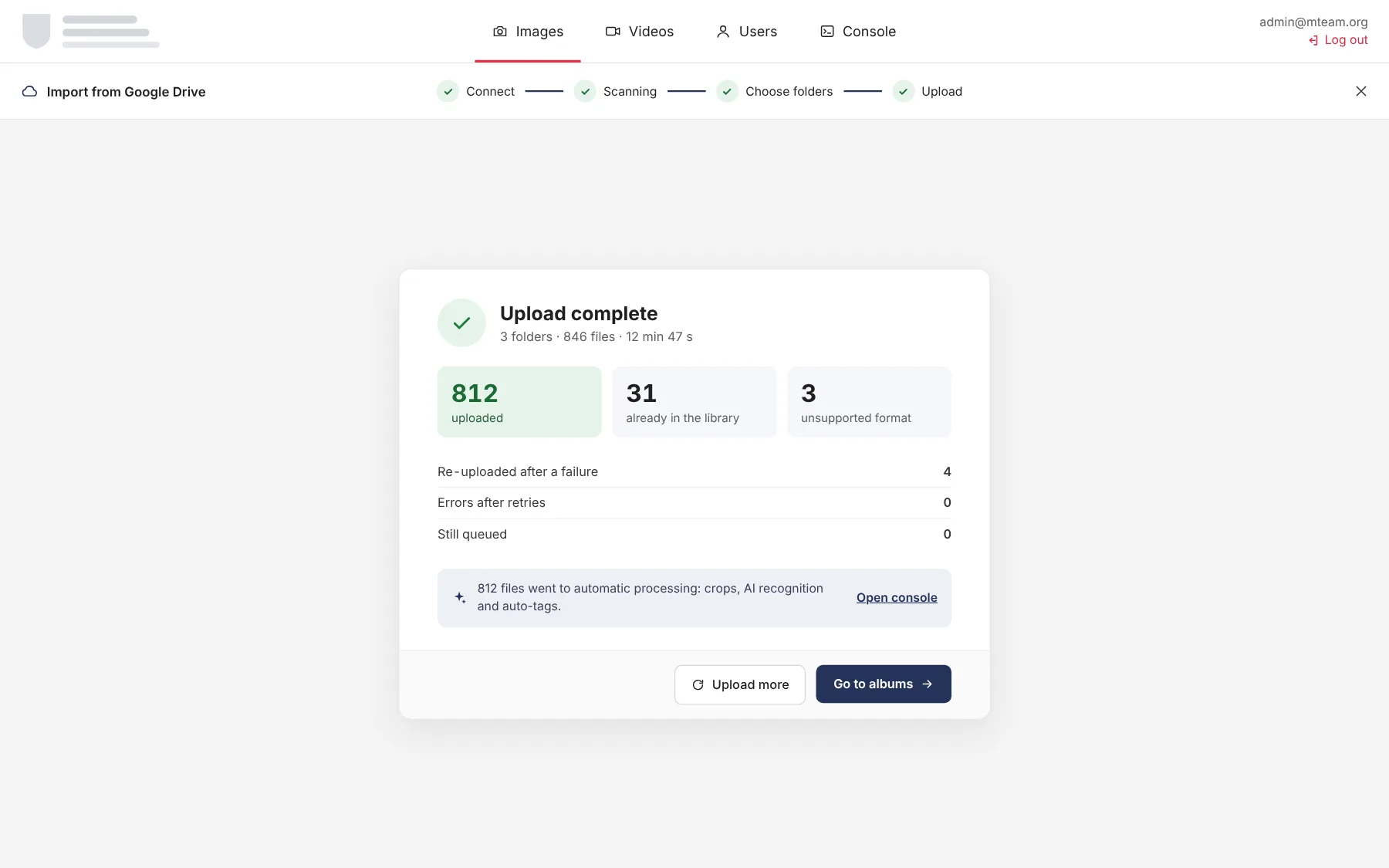
Hundreds of files in one pass, with progress for every file and for the whole batch
A license can be set for the whole batch at once, without opening each file
Control
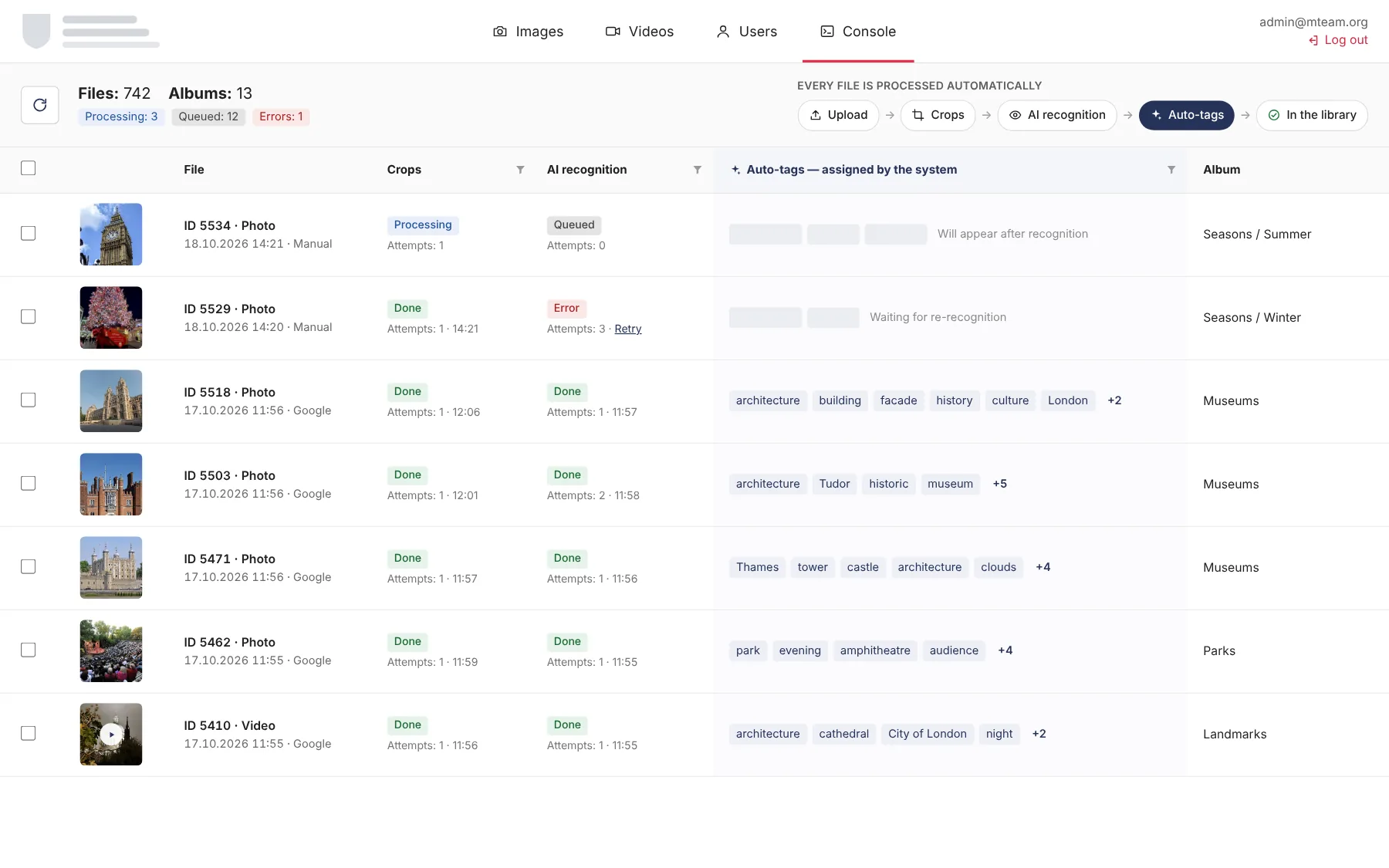
The console shows what is being processed right now: upload, crops, recognition and auto-tags
The status of every step is shown separately, errors and the queue are visible at once, no digging through logs
A summary of files, albums, queue and errors in one place
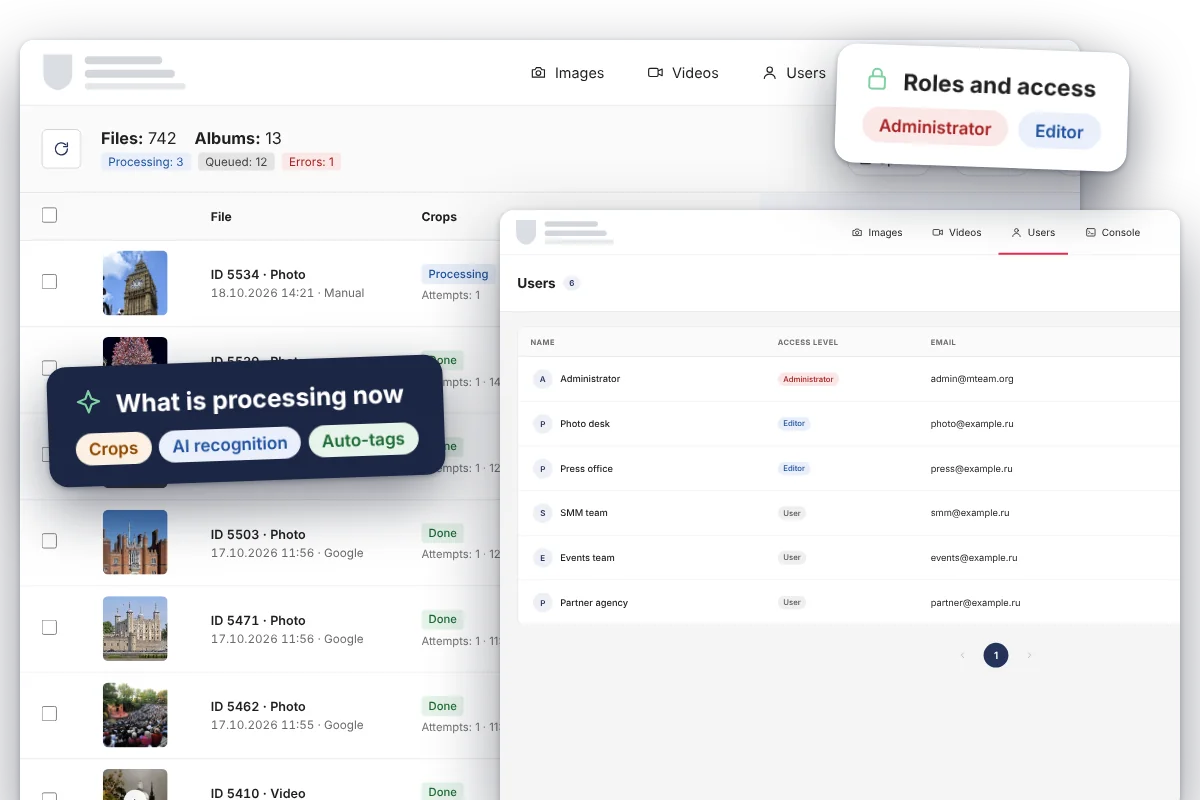
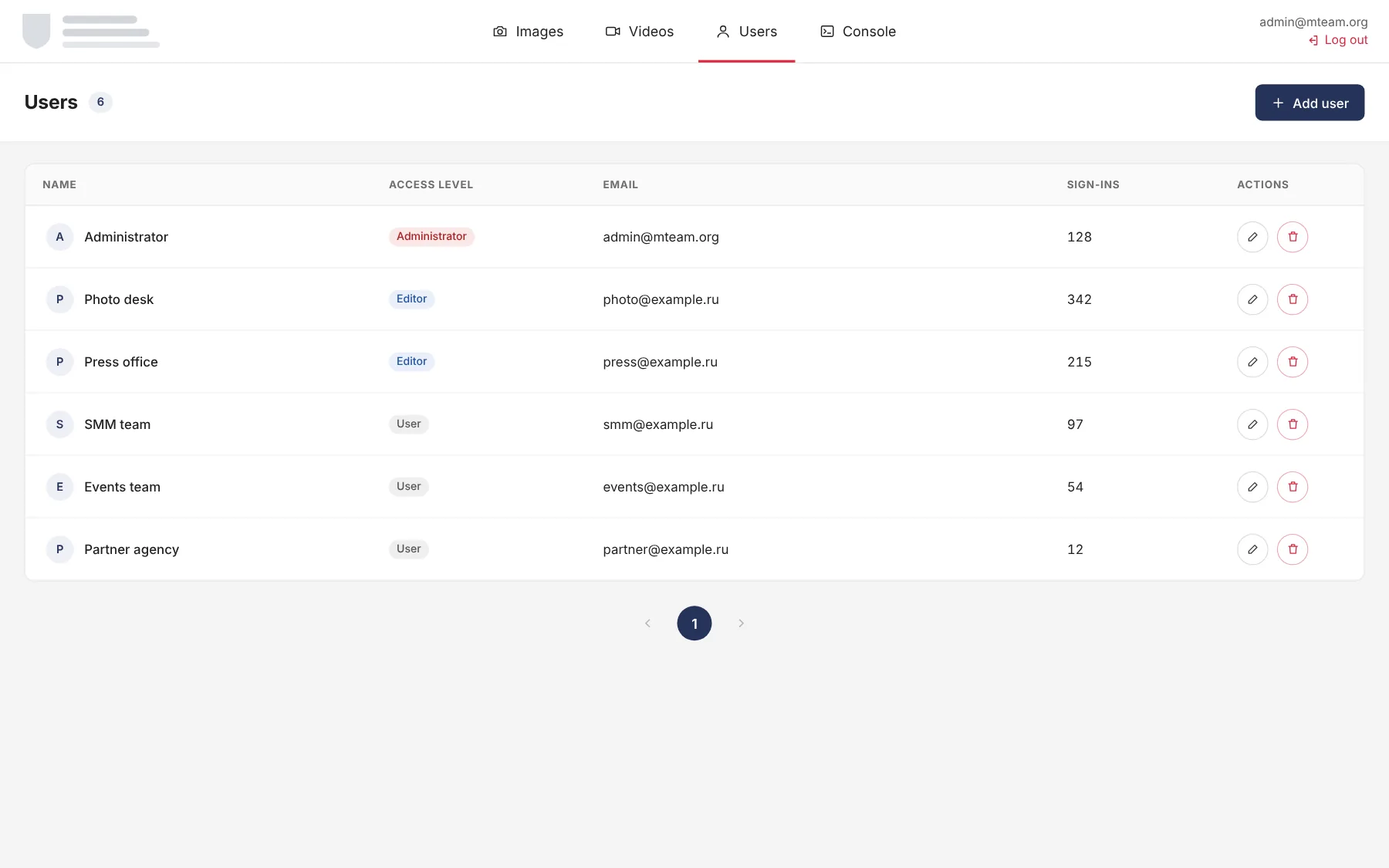
Administrator, editor and user roles, each with its own level of access
User list and access rights in one place
How the media bank works
Photo library
media bank / photo library
All albums on one screen: sections on the left, filters on top, file cards with a score, license and auto-tags.
Photo library
File details
media bank / file details
A photo opens in the viewer next to its license status, album, file name, date taken, contract and the tags assigned by AI. Below are the EXIF data: camera, aperture, shutter speed, ISO. The original downloads with one button.
Photo library
Managing albums
media bank / managing albums
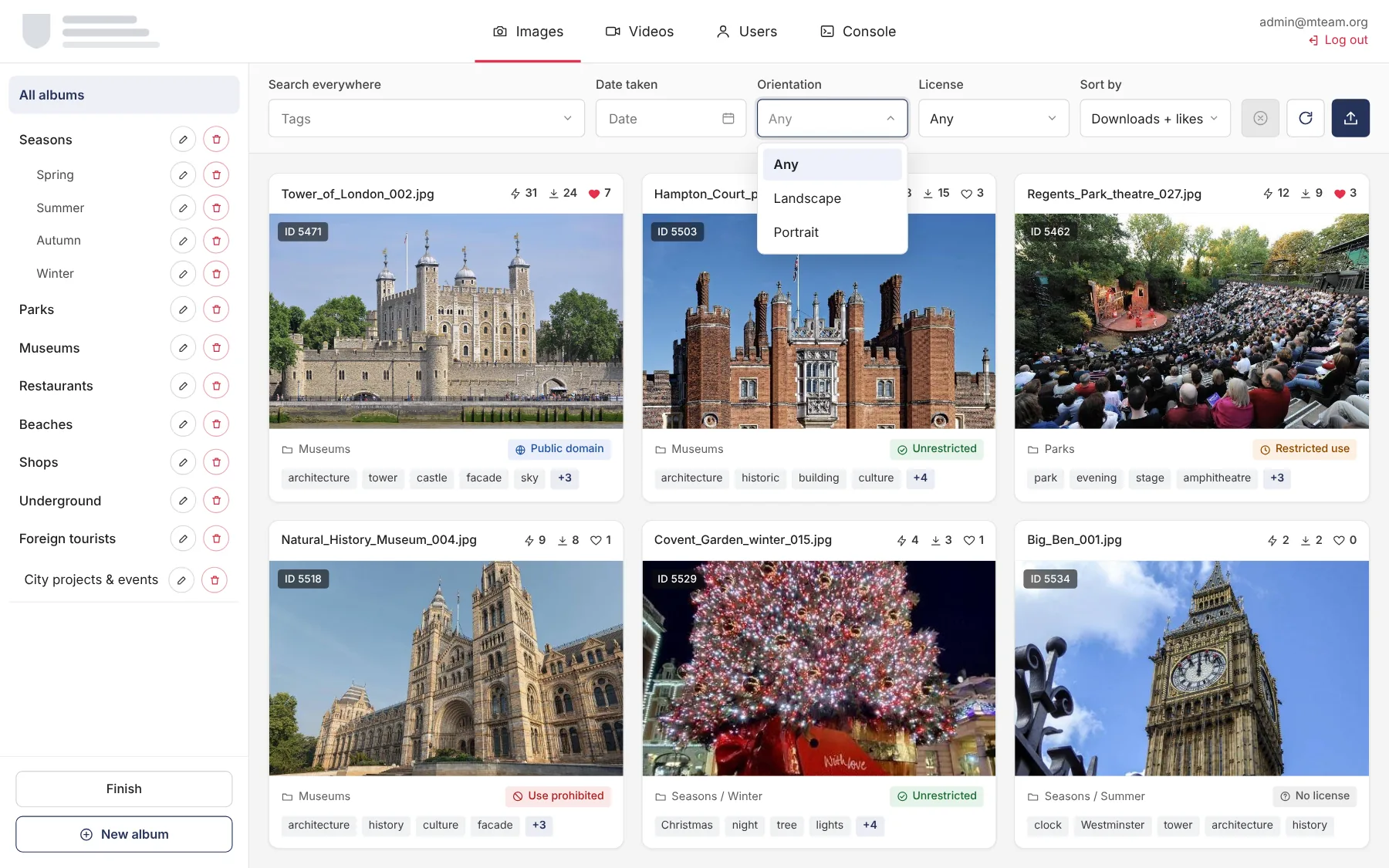
In edit mode, albums are renamed, moved and deleted right in the sidebar. Orientation and license filters work inside an album.
Photo library
New album
media bank / new album
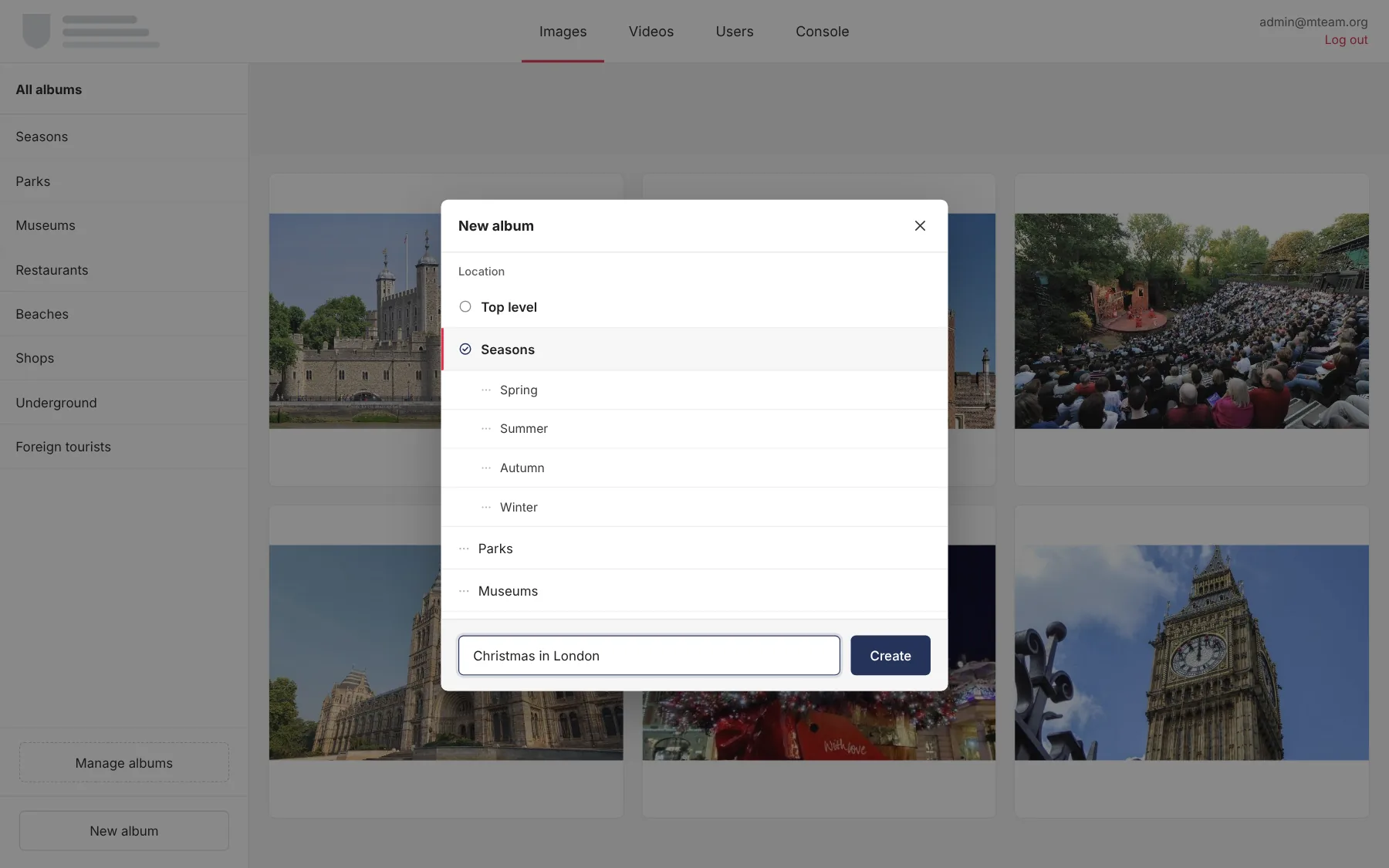
An album is created at the top level or inside an existing section, which gives nested collections such as Seasons / Winter.
Video
Videos
media bank / videos
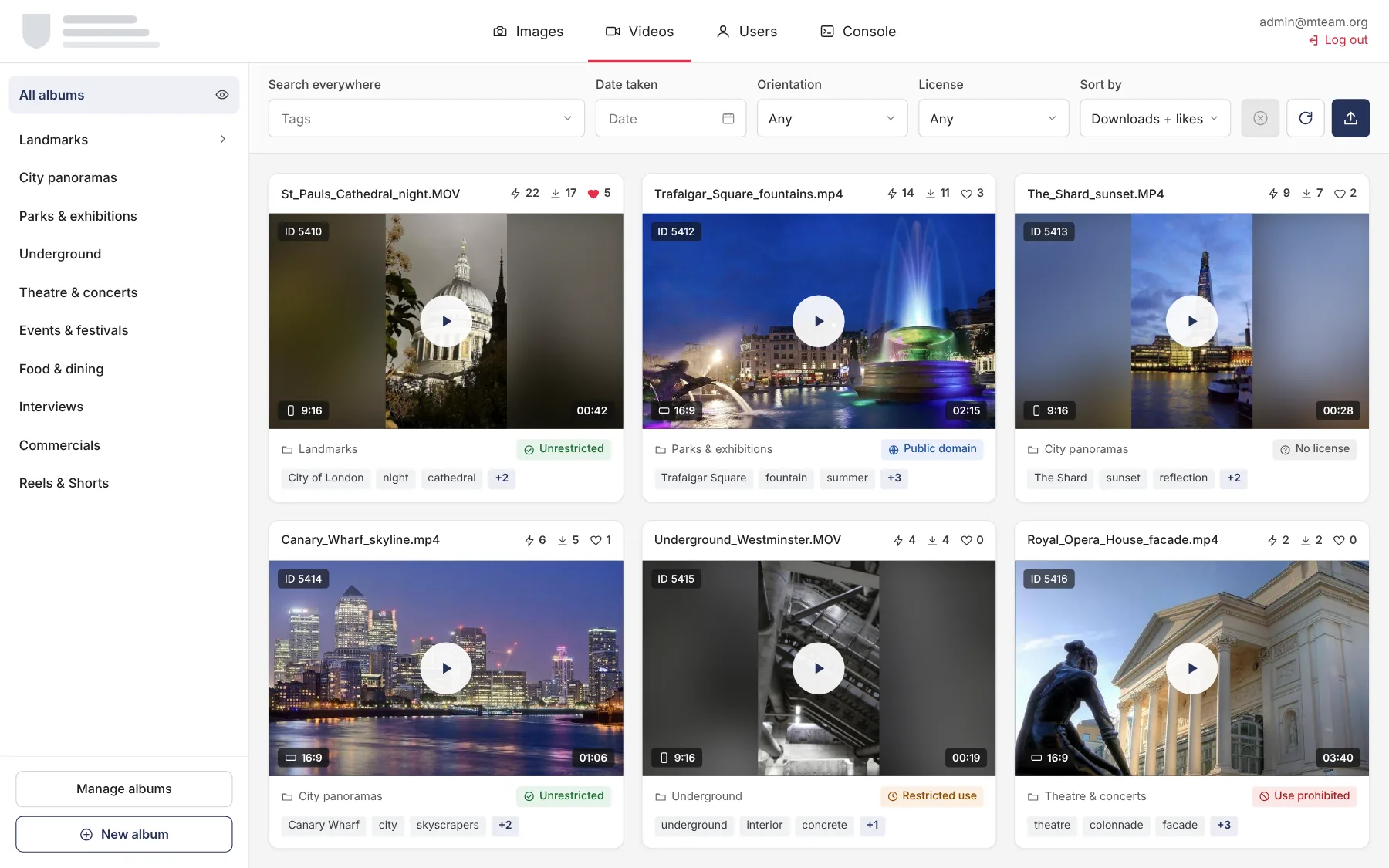
A separate section for video with themed albums: panoramas, the Underground, theatre, festivals, Reels and Shorts. Each preview shows 9:16 or 16:9 orientation and the clip length.
Upload
Upload from a computer
media bank / upload from a computer
Files are dragged into the window, each with its own progress. Album, license and contract number are set for all files at once, and the date taken comes from EXIF. Unsupported formats are skipped, and the upload can run in the background.
Upload
Import from cloud storage
media bank / import from cloud storage
Once cloud storage is connected, the media bank scans its folder structure in the background. Access is read-only: the files in storage stay untouched.
Upload
Choosing folders
media bank / choosing folders
Folders are shown as tiles with file counts. Selected folders become albums or go into an existing album, and the license is set for all of them at once.
Upload
Import summary
media bank / import summary
How many files were uploaded, how many were already in the media bank and how many failed after retries. New files go straight to automatic processing.
Administration
Processing console
media bank / processing console
Every file goes through a pipeline: upload, crops, AI recognition and auto-tags. The table shows the status of each step and the number of attempts, and a failed step can be re-run. The system assigns tags on its own.
Administration
Users
media bank / users
A list of users with access levels and sign-in counts: administrators, editors and external users such as partner agencies.